
BiBimbaReview: the text inside a screenshot you already took
Freemium
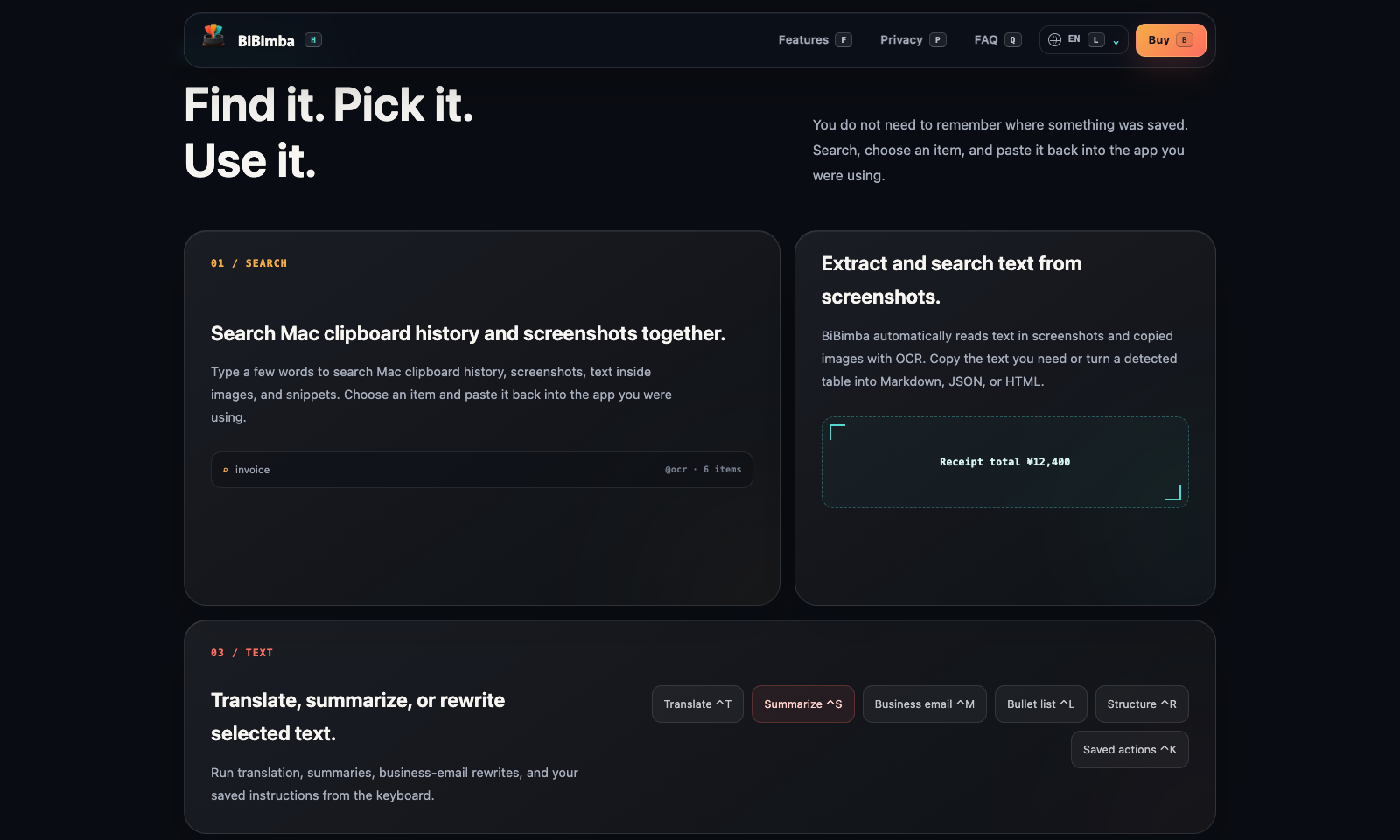
BiBimba is the Mac clipboard that can read the pictures in it. Copy a paragraph, screenshot a receipt, or grab an error dialog, and the text lands in the same search as everything else you copied. The page shows a query for "invoice" with six OCR hits, and a line you can lift straight out: "Receipt total ¥12,400." A detected table can come out as Markdown, JSON, or HTML. Control-K runs a text action on the selection: translate, summarize, rewrite it as a business email, or turn it into bullets. Those actions use the on-device models in Apple Intelligence. The history stays on the Mac. You choose how many items to keep and for how long, and there is no account. The trial is seven days, with no email and no card. After that it is $9 once, for three Macs. Another purchase with the same email adds three more. It requires Apple silicon and macOS 26, and the rewrites require Apple Intelligence. It does not sync to a phone.
Freemium
Keywords
clipboard, screenshot ocr, mac, apple intelligence
- One search: Clipboard text, screenshots, and the words inside those screenshots.
- The receipt line: OCR pulls a total, or a table, out of the picture so you can paste it.
- Text actions: Translate, summarize, business-email rewrite, and bullets, from the keyboard.
- On the machine: History is local. The rewrites use Apple Intelligence, not an upload.
- $9, then stop: Seven days free in the app. One purchase covers three Macs.
TMRW VERDICT
The screenshot you cannot search is the one you need
by TMRW Team·Sep 29, 2026
BiBimba is for the number that lived in a screenshot and then disappeared. A receipt, an error, a slide, a total. The page shows the job without a tour: search "invoice," get the OCR hits, copy "Receipt total ¥12,400." That is more useful than another notes app, because the thing you need is already a picture on the machine. The rewrite actions are the second job, and they stay on the Mac.
Skip it on Windows, on an Intel Mac, and on anything that is not macOS 26. The rewrites also need Apple Intelligence switched on. If you wanted a clipboard that follows you to the phone, this is the wrong tool. If you wanted a running memory of the whole screen, that is a different product. BiBimba only knows what you copied or captured.
Seven days, no account, is enough to see if the search actually finds last week's receipt. $9 once for three Macs is the right price if it does. Do not pay it for the email rewrite alone. You already have a chat window for that. Pay it if you keep losing the text inside pictures.