
ToneBirdReview: reply drafts that know who you're writing to
Freemium
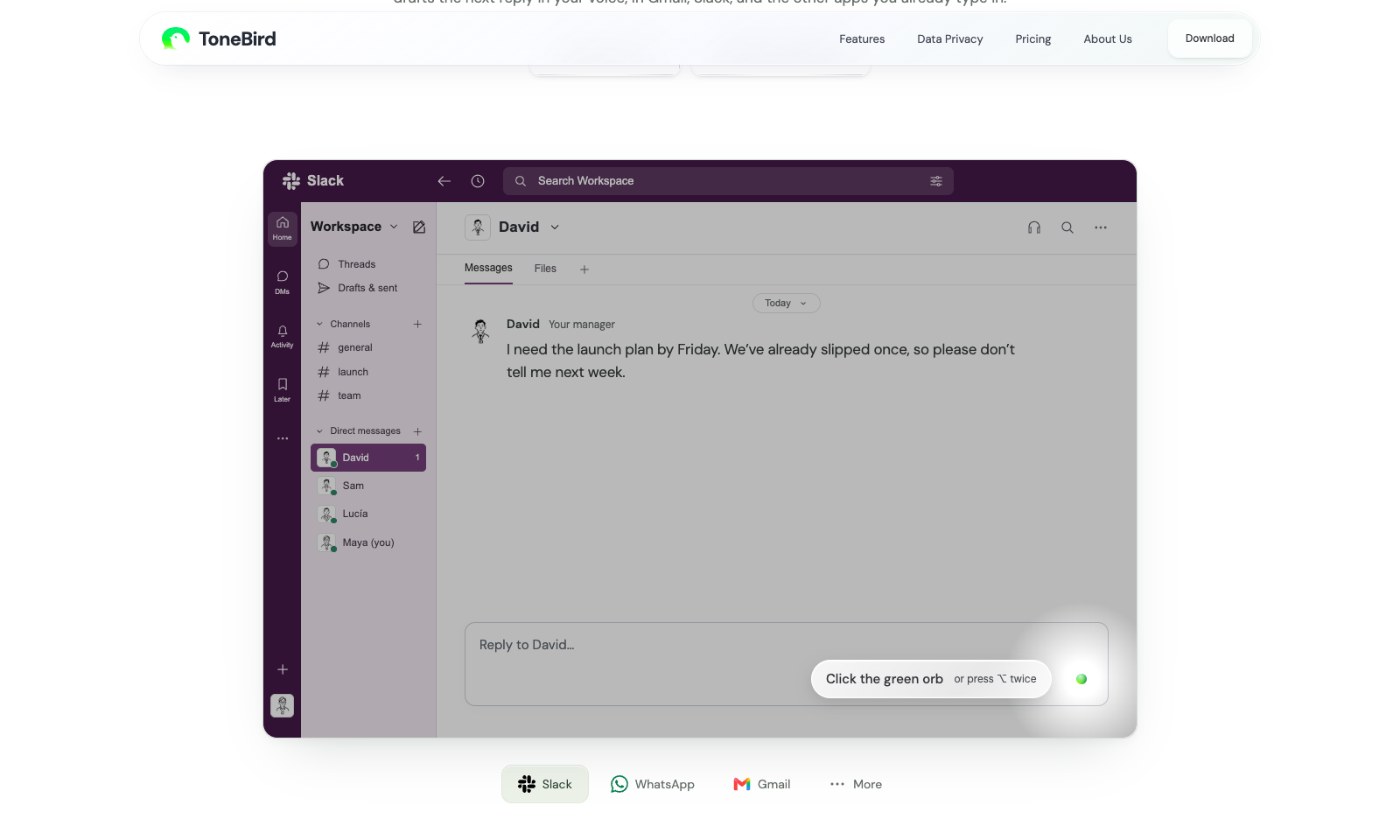
ToneBird drafts your next reply inside the app you are already typing in: Gmail, Slack, WhatsApp, iMessage, Discord, WeChat, Lark, or X, on a Mac or a Windows PC. Click the green orb or press Option twice. It offers three replies, you tweak one, and it inserts the text. It never sends. The difference is memory. It keeps a card for each person, remembers what you promised them, and pulls facts from connected files, so the agreed $2,400 comes from the proposal, not a guess. The tone follows the relationship. A client chasing a deadline gets different wording from a teammate checking in, and it writes in other languages too. It also collects what you owe people into a follow-up list and prepares calendar events from a chat. Tone profiles and person cards stay on your device, while message context goes to the model provider. Free is 15 drafts a day and 30 contacts. Standard is $9.90 a month and Pro $39.90.
Freemium
Keywords
reply assistant, email replies, slack, whatsapp, writing assistant, follow-ups
- Works where you type: Gmail, Slack, WhatsApp, iMessage, Discord, WeChat, Lark, and X. Option or Ctrl twice opens it.
- Three drafts, you choose: Pick one, edit it, insert it. ToneBird never presses send.
- A card for each person: Relationship, past promises, and how you usually write to them. You approve what it learns.
- Facts from your files: Connected documents supply the real price, date, or scope instead of a plausible guess.
- Follow-ups collected: Promises from chats go into a to-do list, and meeting mentions become calendar events you confirm.
TMRW VERDICT
The reply assistant that remembers who you are talking to
by TMRW Team·Sep 26, 2026
Every chat assistant can write a polite reply. The reason to install ToneBird is that it knows David is your manager, that the launch plan already slipped once, and that you promised a 3 PM checkpoint. The demo thread on the homepage is exactly that situation, and the drafts are short and specific instead of apologetic. That is what ChatGPT cannot do unless you paste the backstory every time.
Shortwave, which we list, does this well inside Gmail. ToneBird's case is everywhere else: Slack DMs, WhatsApp, iMessage. It inserts and you send, which is the right restraint for something writing in your name. The limits are stated plainly on the site: some text fields cannot be read, and your conversation goes to the model provider to produce a draft, with your own model key as an option. Fifteen free drafts a day is enough to learn whether it saves you time before the $9.90 plan.
Best for freelancers, account managers, and anyone who answers the same people across five apps. Skip it if most of your writing is email, where Shortwave fits better, or if you would rather speak than pick from drafts, which is what Loqua is for.