DeepCellReview: a forecast, a report, and the slides in one file
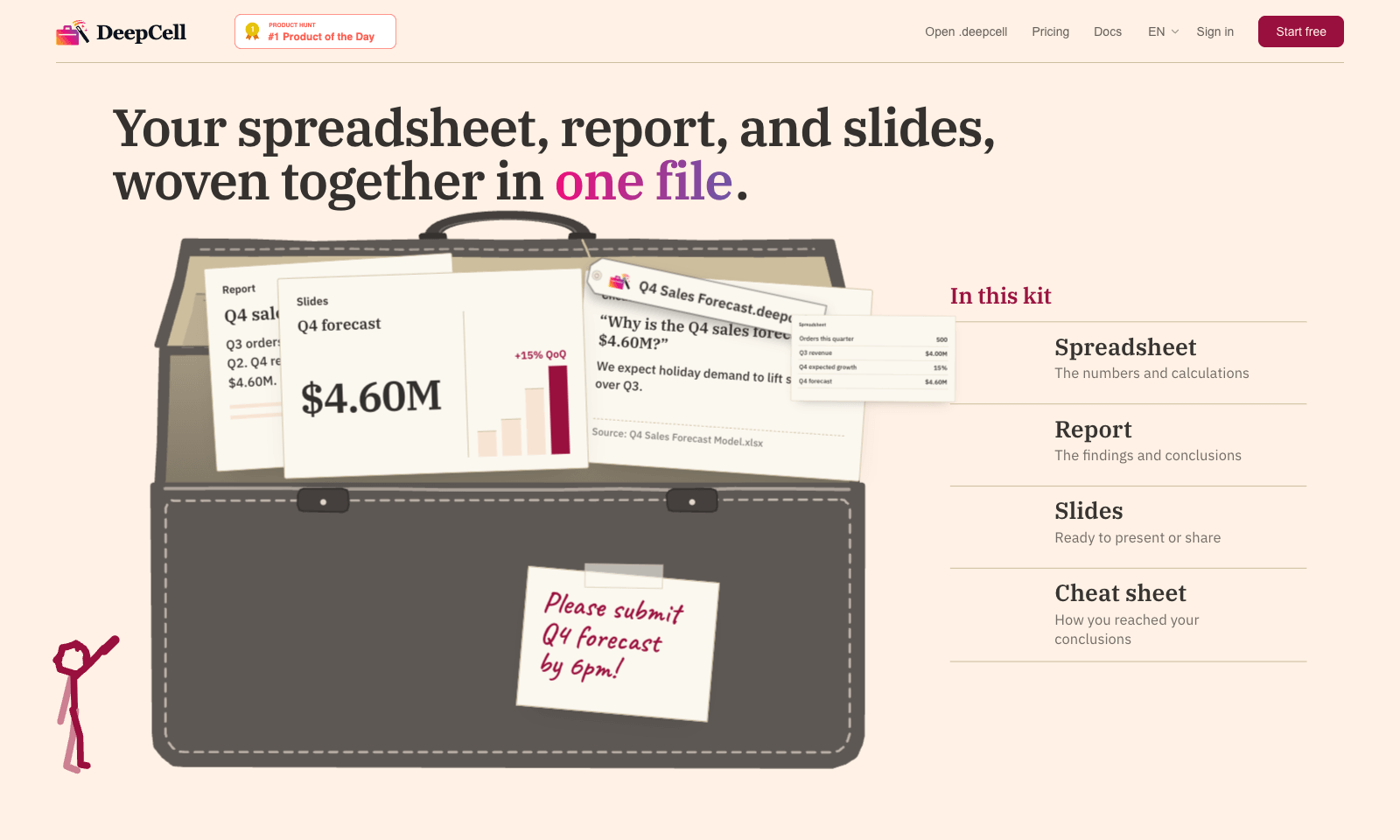
DeepCell keeps your spreadsheet, your write-up, and your slides in one file, so the numbers can't drift apart. Start from last quarter's work and the latest data, and you get back a single .deepcell with a spreadsheet, a report, a deck, and a cheat sheet explaining how you got there. Change one assumption and it flows through everything. In the demo, nudging Q4 growth from 15% to 20% moves the forecast from $4.60M to $4.80M in the sheet, the report, and the slide at once.
The cheat sheet is the clever part. When someone asks why the slide says 500 orders and the morning report said 480, it points to the 20-unit order that landed at 11:40 and names the file it came from. You build kits through the AI agent you already use, with DeepCell's CLI and MCP connector doing the work. It's free for individuals with no account needed to start. Sign up if you want to keep files past 30 days. Teams is still on a waitlist.
Keywords
forecast, spreadsheet, slides, report, deadline
- One file, four views: Spreadsheet, report, slides, and a cheat sheet built from the same numbers.
- Edits that travel: Change the growth rate once and the sheet, report, and slide all update.
- An answer for "why this number?": The cheat sheet traces a figure back to the order and the source file.
- Works through your agent: Install the CLI and MCP connector, then ask your assistant for a kit.
- Free for one person: No account to start. A free account keeps files past 30 days. Teams is waitlist only.
TMRW VERDICT
The fix for decks that disagree with the spreadsheet
by TMRW Team·Oct 25, 2026
Everyone has sent a deck where slide four says one number and the spreadsheet says another, because someone updated the model at 5pm and forgot the slides. DeepCell's answer is to stop treating them as separate documents. The numbers, the memo, and the slides live in one file, and an edit to the model shows up everywhere. That's a smarter idea than yet another AI deck generator, and it's aimed squarely at whoever has a forecast due by 6.
The cheat sheet is what sells it. Answering "why 500, not 480?" with the exact order and source file is the kind of thing that saves a meeting. Gamma makes prettier decks and Julius is better for poking around a dataset, but neither keeps your slides in sync with your sheet.
The catch is setup. You work through an AI agent and a command-line tool, not a friendly web app, so if you've never connected anything to your assistant, expect a little friction. If you rebuild the same report every month, it's worth the hour. If you make one deck a quarter, stick with what you've got.