TMRWTOOLS
AboutBlog
Submit Tool
TMRW TOOLS
GuideBlogSubmit Tool
  • 01Home
  • 02Guide
  • 03Blog
  • Submit Tool
HOME/Marketing/Moda
BACK TO TOOLS
HOME/Marketing/Moda

ModaReview: prompts into slides, posts, and ads

Moda screenshot

ModaReview: prompts into slides, posts, and ads

MarketingProductivity
Freemium

Moda is a browser-based design canvas that turns a prompt into slides, social posts, ads, documents or carousels you can still edit. Pick the format first, type what you want, and attach files if you have them. Every shape, headline and image in the result can be selected and changed, which you can't do with a flat picture from an image generator. Give it your website and it pulls your brand colors, fonts and logo into the first draft. You generate, then restyle on a proper canvas. The free plan gives you 500 credits a month. Pro is $30 per user per month for 6,000 credits, and unused credits don't carry over. The weak spot is export. You won't get a native PowerPoint or Google Slides file, so if that's what your team works in, look at AskDeck instead.

MarketingProductivity
Freemium

Keywords

design, slides, social posts, brand kit, canvas, presentations, canva
  • Editable canvas: Prompt a LinkedIn post, a deck, or an ad; boxes, type, and images stay selectable afterward.
  • Format chips: Slides, social, ads, documents, carousels, video, website, image, app UI, print — pick the job before you generate.
  • Brand kit from a URL: Crawl a site for logo, colors, and type, then apply it to new designs.
  • Remix starting points: Live examples on the homepage (sales stats, hiring posters, speaker cards) you can copy and restyle.
  • Credit plans: Free is 500 credits a month. Pro is $30/user/month with 6,000. Unused credits do not roll over.

TMRW VERDICT

Design you can still edit after the AI is done

by TMRW Team·Oct 4, 2026

Most AI design tools give you a picture. Moda gives you a file you can keep editing, and that's the whole argument for it. It's aimed at the marketer or founder who would otherwise open Canva and freeze at the blank page. Its examples, like quarterly sales stats or a conference speaker graphic, look designed rather than generated. The real test is whether it keeps your brand once you paste in your website.

It's no Gamma replacement. Gamma is still quicker if you present from a link and never hand anyone a .pptx. Recraft is still the pick if you need vector files. Moda is for the person who needs a carousel, a one-pager and a hiring poster this week and is happy to tweak the text once the AI is done.

Best for small teams without a designer on call. If your company template lives in PowerPoint or Google Slides and leaving it would cause a fight, skip it. The 500 free credits make it cheap to find out. Paste in your own site, generate a deck and a set of social posts from the same brand kit, and see whether the fonts survive both.

More Tools Like This

Naise AI

Naise AI

MarketingSocial Media

Naise AI is a marketing agent for small teams. From one brief, it handles social posts, influencer outreach and press pitches. Paste an Instagram handle or a website and it starts by sizing up your brand: your audience on each platform, your competitors and your tone of voice. Then it plans a content calendar, makes images in the right size for each platform, writes the captions and schedules posts to Instagram, TikTok, Facebook and LinkedIn. It can also find influencers, contact them, track results and draft press releases. You upload your brand guidelines once and it remembers them for each client, which makes it a good fit for agencies. Every plan includes every feature, and plans only differ in how many campaigns you run each month. The cheapest is $59.90 a month for two campaigns, after a three-day trial that needs a card. SEO and performance marketing are still marked as coming soon. Try the free Instagram audit before you pay.

View Details
AskDeck

AskDeck

ProductivityBusiness Tools

AskDeck makes a PowerPoint the way you'd ask a colleague for one. Text it, leave a voicemail, call, fill in a form, or email the agent (he's called Eric) with your memo attached: "Board update Thursday, 12 slides, from this memo, in our template." Eric works out the story, builds the deck in your own master template, writes speaker notes and sends back a free watermarked preview. Want changes? Ask in plain English. What you get is a real .pptx you can edit, so there's nothing to export from some web format. It can also make a narrated video with captions from the same slides, which means the two always match. You can upload an old deck to reformat it or turn it into a video. One finished deck is $29. Pro is $99 a month for three decks plus your brand kit, and Teams is $299 a month for five people.

View Details
Hob

Hob

Productivity

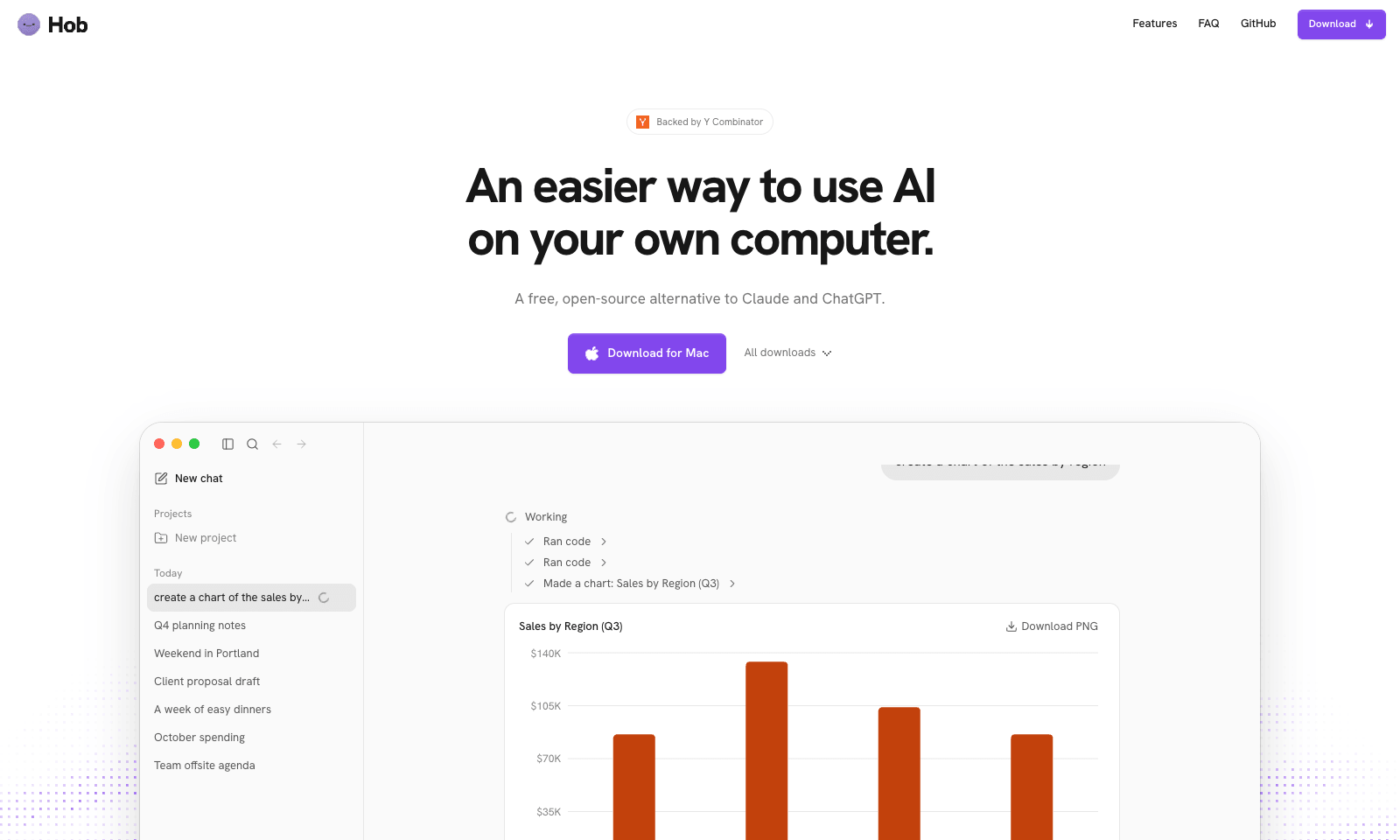
Hob is a free desktop assistant that runs entirely on your own computer. Install it and it picks an open model that fits your machine, such as Google's Gemma or OpenAI's gpt-oss, then downloads and sets it up. After that you use it like ChatGPT, with one difference: your chats and files never leave the laptop. No account, no subscription, no telemetry, and it keeps working offline. It does real file work. Point it at a folder and it can read a sales spreadsheet and chart revenue by region, fill out a PDF form, or edit a document. It asks before every change and lets you undo one it got wrong. On Mac, Mail and Calendar are built in. It needs 8 GB of RAM at minimum, 16 GB for everyday work, and 10 to 25 GB of disk. It runs on Apple silicon Macs, Windows, and Linux, and it's MIT-licensed by Frigade.

View Details
Hemory

Hemory

ProductivityTranscription

Hemory is a phone app that listens to your day and turns what people said into something you can search. Start it by hand or on a schedule, like weekdays 9 to 6, on iPhone, Android or Apple Watch. It splits your day into meetings, meals, work and small talk, and tells speakers apart by voice. Meetings get proper minutes with decisions and action items. Lunch gets a short note. Ask it what Daniel promised on Tuesday and it answers from the transcripts, in any of 100 languages. Claude Code, Codex, Cursor and other MCP tools can read the same memory with a read-only key. Audio is processed as it streams, and the raw recording stays on your phone or watch. The trial gives you 10 hours of listening. Starter is $10 a month for 20 hours and Pro is $20 for 60. Silence doesn't count. Desktop and web apps aren't out yet.

View Details
TMRW TOOLS

AI tools we'd actually recommend.

A short list of AI tools for everyday work. We try each one before we write about it.

Navigate

  • Home
  • AI Guide
  • Blog
  • About
  • Contact

Tools

  • Browse Tools
  • Meeting notes
  • Voice writing
  • Spreadsheets
  • Short video
  • Submit Tool
  • Categories
  • Partner Program

Follow us

Legal

Privacy PolicyTerms of ServiceImprint
TMRW TOOLS

AI tools we'd actually recommend.

A short list of AI tools for everyday work. We try each one before we write about it.

Follow us

Navigate

  • Home
  • AI Guide
  • Blog
  • About
  • Contact

Tools

  • Browse Tools
  • Meeting notes
  • Voice writing
  • Spreadsheets
  • Short video
  • Submit Tool
  • Categories
  • Partner Program

Legal

  • Privacy Policy
  • Terms of Service
  • Imprint
TMRW TOOLS

AI tools we'd actually recommend.

A short list of AI tools for everyday work. We try each one before we write about it.

Navigate

  • Home
  • AI Guide
  • Blog
  • About
  • Contact

Tools

  • Browse Tools
  • Meeting notes
  • Voice writing
  • Spreadsheets
  • Short video
  • Submit Tool
  • Categories
  • Partner Program

Follow us

Legal

  • Privacy Policy
  • Terms of Service
  • Imprint
© 2026 TMRW TOOLS. All rights reserved.