TMRWTOOLS
AboutBlog
Submit Tool
TMRW TOOLS
GuideBlogSubmit Tool
  • 01Home
  • 02Guide
  • 03Blog
  • Submit Tool
HOME/Productivity/Hob
BACK TO TOOLS
HOME/Productivity/Hob

HobReview: a ChatGPT that never leaves your laptop
Hob screenshot

HobReview: a ChatGPT that never leaves your laptop

Productivity
Free

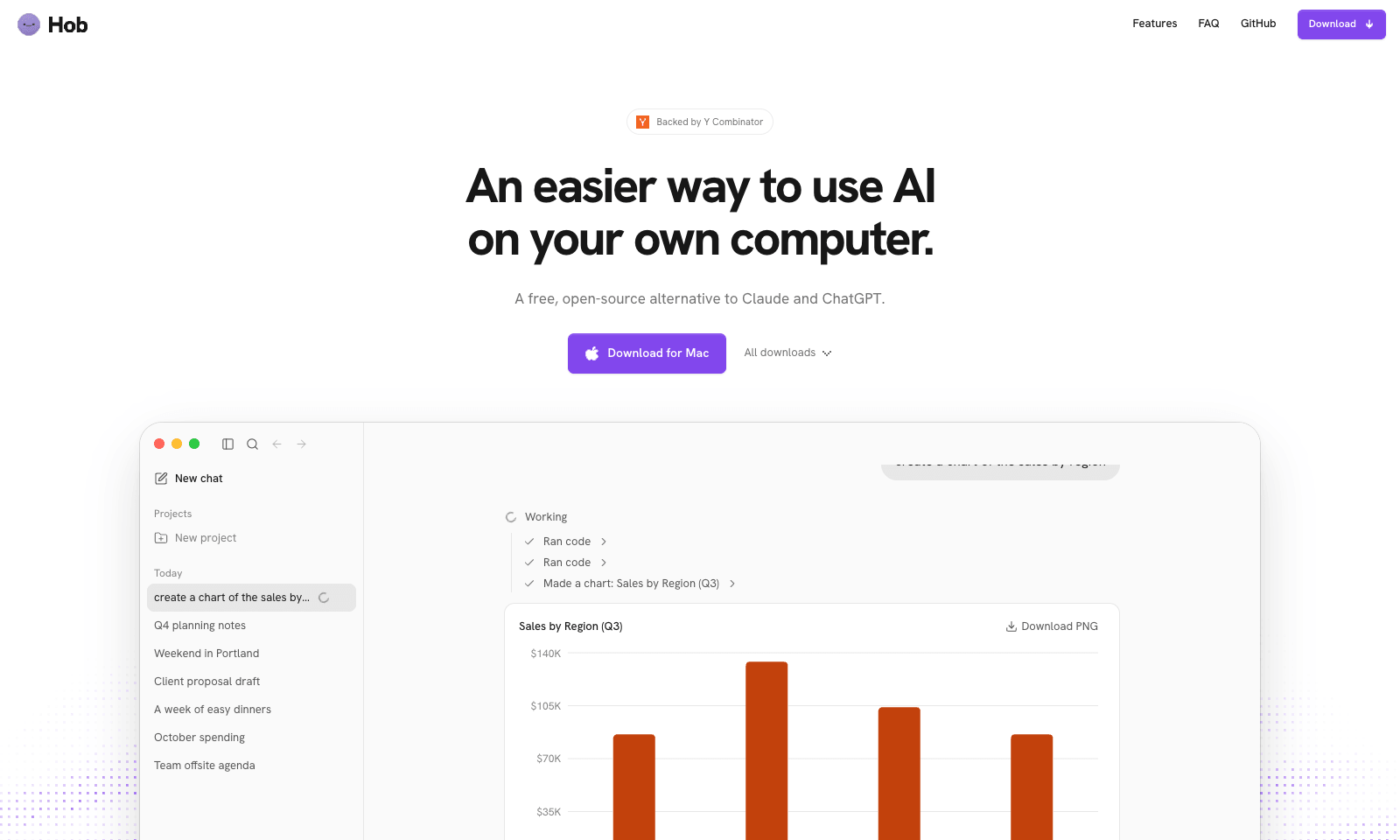
Hob is a free desktop assistant that runs entirely on your own computer. Install it and it picks an open model that fits your machine, such as Google's Gemma or OpenAI's gpt-oss, then downloads and sets it up. After that you use it like ChatGPT, with one difference: your chats and files never leave the laptop. No account, no subscription, no telemetry, and it keeps working offline.

It does real file work. Point it at a folder and it can read a sales spreadsheet and chart revenue by region, fill out a PDF form, or edit a document. It asks before every change and lets you undo one it got wrong. On Mac, Mail and Calendar are built in. It needs 8 GB of RAM at minimum, 16 GB for everyday work, and 10 to 25 GB of disk. It runs on Apple silicon Macs, Windows, and Linux, and it's MIT-licensed by Frigade.

Productivity
Free

Keywords

local ai, private assistant, offline, open source, pdf forms
  • Picks the model for you: Matches an open model to your RAM and installs it.
  • Private by default: No account, no telemetry, and local chat and file work run offline.
  • File work with undo: Reads, edits, charts, and fills PDFs in folders you choose.
  • Asks first: Every file change needs your yes.
  • 32 languages: Web search can be switched off in Settings.

TMRW VERDICT

The private assistant for files you'd never paste into ChatGPT

by TMRW Team·Nov 2, 2026

Everybody has a folder they won't upload: client contracts, salary sheets, a patient list, a draft nobody's seen yet. Hob is for that folder. The pitch isn't that it's smarter than ChatGPT, because it isn't. It's that a decent model on your own laptop can chart a spreadsheet or fill a form without a byte going to anyone's server, and Hob makes that a download instead of a weekend of setup.

LM Studio and Ollama are fine if you enjoy choosing models. Hob hides that choice and adds the file tools, which is what an office worker actually needs. Asking before every change, with an undo, is exactly right for an assistant that touches your documents.

Skip it on an 8 GB laptop if you expect ChatGPT-level answers. The lighter models it falls back to handle summaries and quick edits, not hard reasoning. Intel Mac owners are out entirely. Anyone with 16 GB of RAM and something private to work on should install it this week.
More Tools Like This

DeepCell

DeepCell

ProductivityBusiness Tools

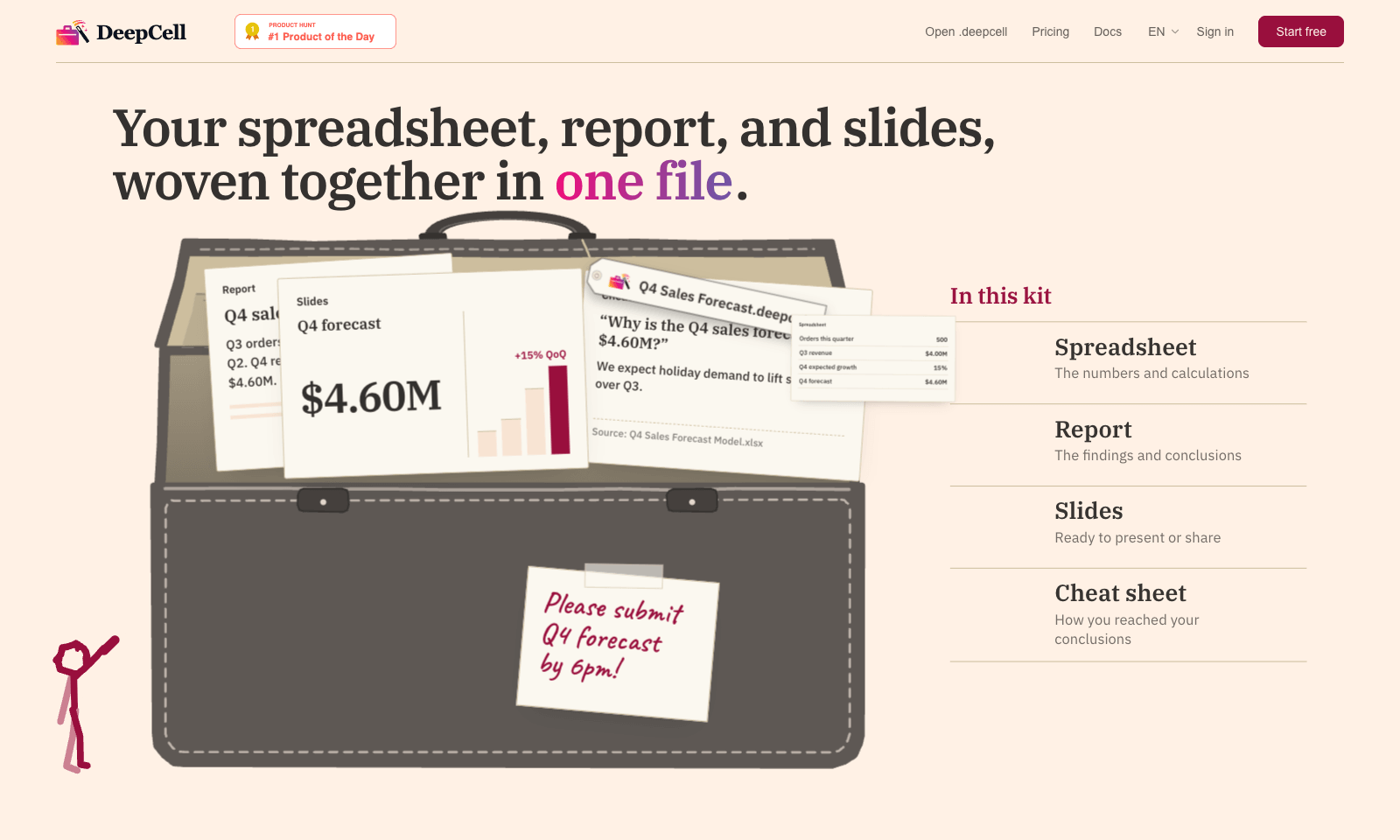
DeepCell keeps your spreadsheet, your write-up, and your slides in one file, so the numbers can't drift apart. Start from last quarter's work and the latest data, and you get back a single .deepcell with a spreadsheet, a report, a deck, and a cheat sheet explaining how you got there. Change one assumption and it flows through everything. In the demo, nudging Q4 growth from 15% to 20% moves the forecast from $4.60M to $4.80M in the sheet, the report, and the slide at once. The cheat sheet is the clever part. When someone asks why the slide says 500 orders and the morning report said 480, it points to the 20-unit order that landed at 11:40 and names the file it came from. You build kits through the AI agent you already use, with DeepCell's CLI and MCP connector doing the work. It's free for individuals with no account needed to start. Sign up if you want to keep files past 30 days. Teams is still on a waitlist.

View Details
Strawberry

Strawberry

AutomationProductivity

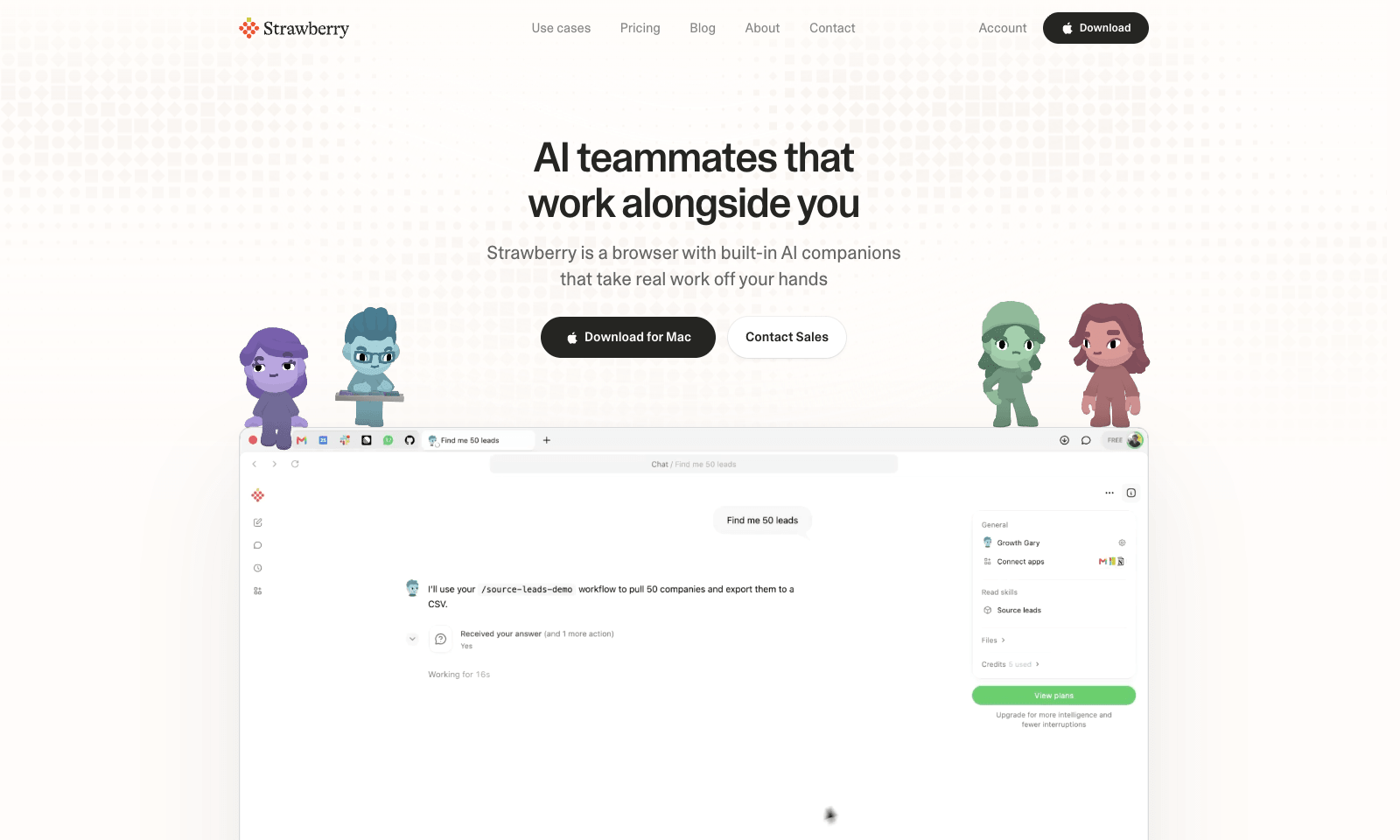
Strawberry is a desktop browser for Mac and Windows with AI "companions" that work inside your open tabs. Ask Sales Sally for prospects from LinkedIn and she builds the lead list in a Google Sheet, with company names and a fit rating. Talent Theo scores candidates against a role. Executive Ellis writes a morning brief and tracks follow-ups. You can also build your own companion around a process your team repeats every week. Because it's a real browser, the companions can work on pages behind your logins, like LinkedIn, HubSpot, and Gmail. Strawberry says passwords, cookies, and history stay on your machine, and you set permissions per app and per action. It also transcribes Zoom, Teams, and Meet calls without a bot joining. Browsing is free. Companion work costs credits: 500 a month free, then $20 for 6,000, up to $250 for 75,000.

View Details
Savor

Savor

ProductivitySelf-Improvement

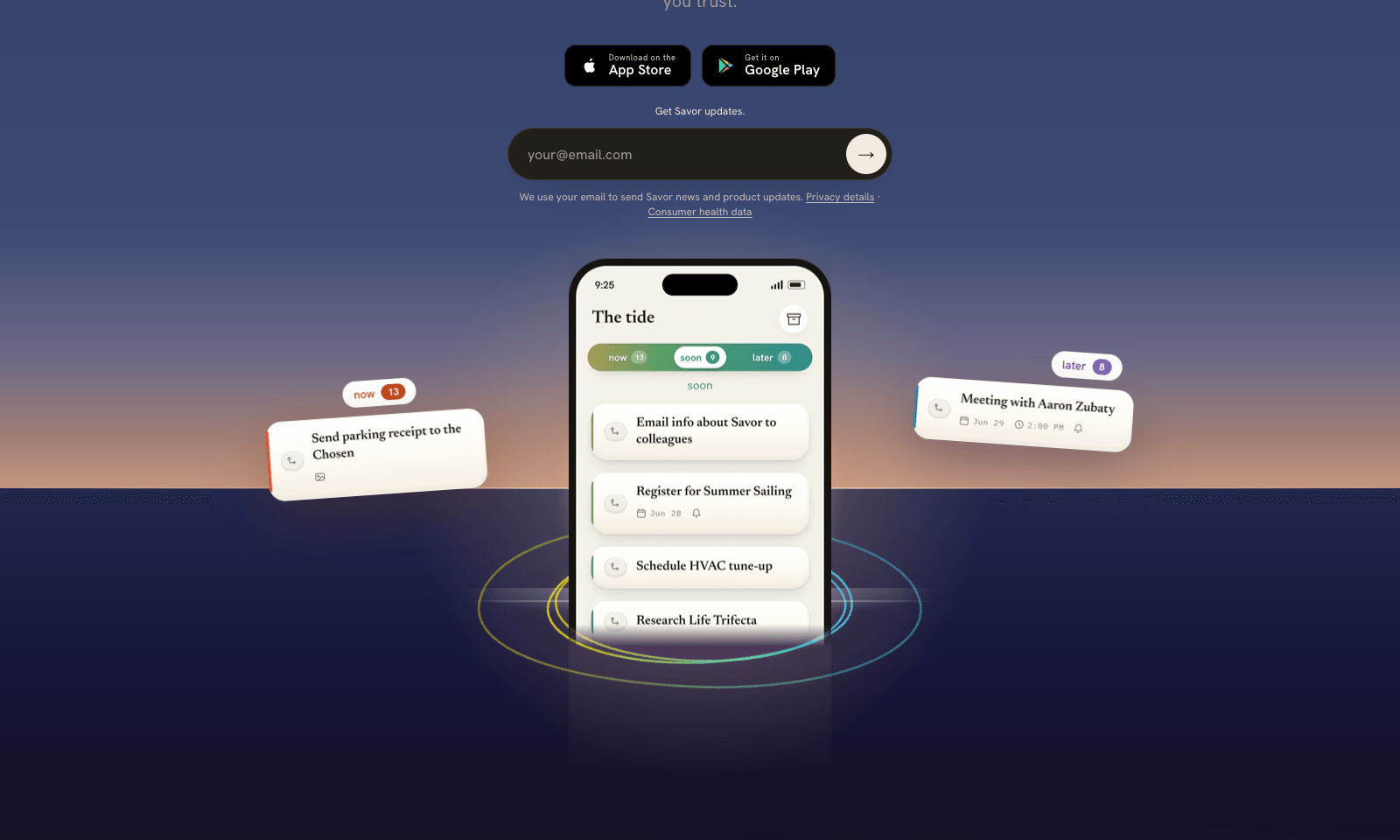
Savor is a free phone app for the things too small or too vague for a to-do list: call the dentist, book that trip, deal with the parking fine. Say it, type it, or snap a photo of the letter or flyer, and Savor turns it into a card. Cards sit in three lanes, Now, Soon, and Later, and come back with a reminder when their date gets close. The AI part is Take Action, still in beta. Open a card and it helps you work out the next step: compare options, build a list, look up public information, or draft the message you've been putting off. You can also hand a card to someone else who uses Savor; once they accept, it's theirs, reminders included. Photos of bills and letters are read automatically, and Siri can add cards hands-free. It's free on iPhone and Android while the company has paid plans on hold.

View Details
Mycel

Mycel

Business ToolsProductivity

Mycel is for people who deliver the same kind of client work every month, like a month-end close, a proposal or a listing audit. Upload one past example and it drafts the next one for each client. Nothing goes to a client until you approve it. You also see which invoices need chasing, plus a chart of how much of each draft you still end up rewriting, which is a refreshingly honest number for a tool to show you. Setting it up takes about an afternoon: describe the service, upload one file and give it this week's work. The hosted Starter plan is $299 a month after a seven-day free trial. If you'd rather host it yourself, it's free and open source under Apache-2.0, as long as you bring your own model key. It's not worth it for one-off projects, or if $299 is more than a client pays you each month.

View Details
TMRW TOOLS

AI tools we'd actually recommend.

A short list of AI tools for everyday work. We try each one before we write about it.

Navigate

  • Home
  • AI Guide
  • Blog
  • About
  • Contact

Tools

  • Browse Tools
  • Meeting notes
  • Voice writing
  • Spreadsheets
  • Short video
  • Submit Tool
  • Categories
  • Partner Program

Follow us

Legal

Privacy PolicyTerms of ServiceImprint
TMRW TOOLS

AI tools we'd actually recommend.

A short list of AI tools for everyday work. We try each one before we write about it.

Follow us

Navigate

  • Home
  • AI Guide
  • Blog
  • About
  • Contact

Tools

  • Browse Tools
  • Meeting notes
  • Voice writing
  • Spreadsheets
  • Short video
  • Submit Tool
  • Categories
  • Partner Program

Legal

  • Privacy Policy
  • Terms of Service
  • Imprint
TMRW TOOLS

AI tools we'd actually recommend.

A short list of AI tools for everyday work. We try each one before we write about it.

Navigate

  • Home
  • AI Guide
  • Blog
  • About
  • Contact

Tools

  • Browse Tools
  • Meeting notes
  • Voice writing
  • Spreadsheets
  • Short video
  • Submit Tool
  • Categories
  • Partner Program

Follow us

Legal

  • Privacy Policy
  • Terms of Service
  • Imprint
© 2026 TMRW TOOLS. All rights reserved.