TMRWTOOLS
AboutBlog
Submit Tool
TMRW TOOLS
GuideBlogSubmit Tool
  • 01Home
  • 02Guide
  • 03Blog
  • Submit Tool
HOME/Productivity/Granola
BACK TO TOOLS
HOME/Productivity/Granola

GranolaReview: meeting notes without a call bot

Granola screenshot

GranolaReview: meeting notes without a call bot

ProductivityTranscription
Freemium

Granola is a notepad for meetings that transcribes the call without sending a bot into it. It records your computer's audio directly, merges the transcript with whatever notes you typed during the meeting, and gives you a clean summary with action items afterwards. It works with Zoom, Google Meet, Microsoft Teams, and meetings in a room. The selling point is what's missing. Nobody sees "Notetaker has joined" and nobody has to approve anything. You open Granola, join the meeting as usual, and it listens from your machine. Whether that feels like a relief or a little awkward depends on who you're meeting with. There's a free plan, and the paid plan is $14 a month for unlimited history. It runs on macOS, Windows, iOS, Android and Apple Watch.

ProductivityTranscription
Freemium

Keywords

meetings, transcription, notes, productivity, recording
Meeting transcription without a bot joining the call Blends your typed notes with AI-generated transcript Structured summaries with action items Calendar integration with pre-meeting context Cross-platform: macOS, Windows, iOS, Android, Apple Watch
Records computer audio locally. Works with Zoom, Google Meet, Teams, and in-person. Free tier with 30-day note access. Paid plan $14/month for unlimited history. No meeting bot — captures audio from the device directly.

TMRW VERDICT

Meeting notes without the awkward bot

by TMRW Team·Oct 4, 2026

Every meeting tool that sends a bot into the call creates a small social problem. People act differently when they know an outside service is recording them. Granola sidesteps that. It records on your own machine, from your computer's audio, and nobody else in the meeting knows unless you tell them. Whether you should tell them is your call, and it's worth a thought.

What you get is better than a raw transcript. Granola blends what you type during the call with what it heard, so the notes carry both your emphasis and the full conversation. The summaries are useful too, with action items, decisions and follow-ups instead of a wall of text.

If your team needs shared recordings everyone can open from a dashboard, look elsewhere. Granola is for personal notes rather than a team knowledge base, and there's no Linux app yet. It's ideal for one-to-ones, client calls, interviews and any meeting where you're meant to be listening instead of typing.
More Tools Like This

Empacer

Empacer

Business ToolsProductivity

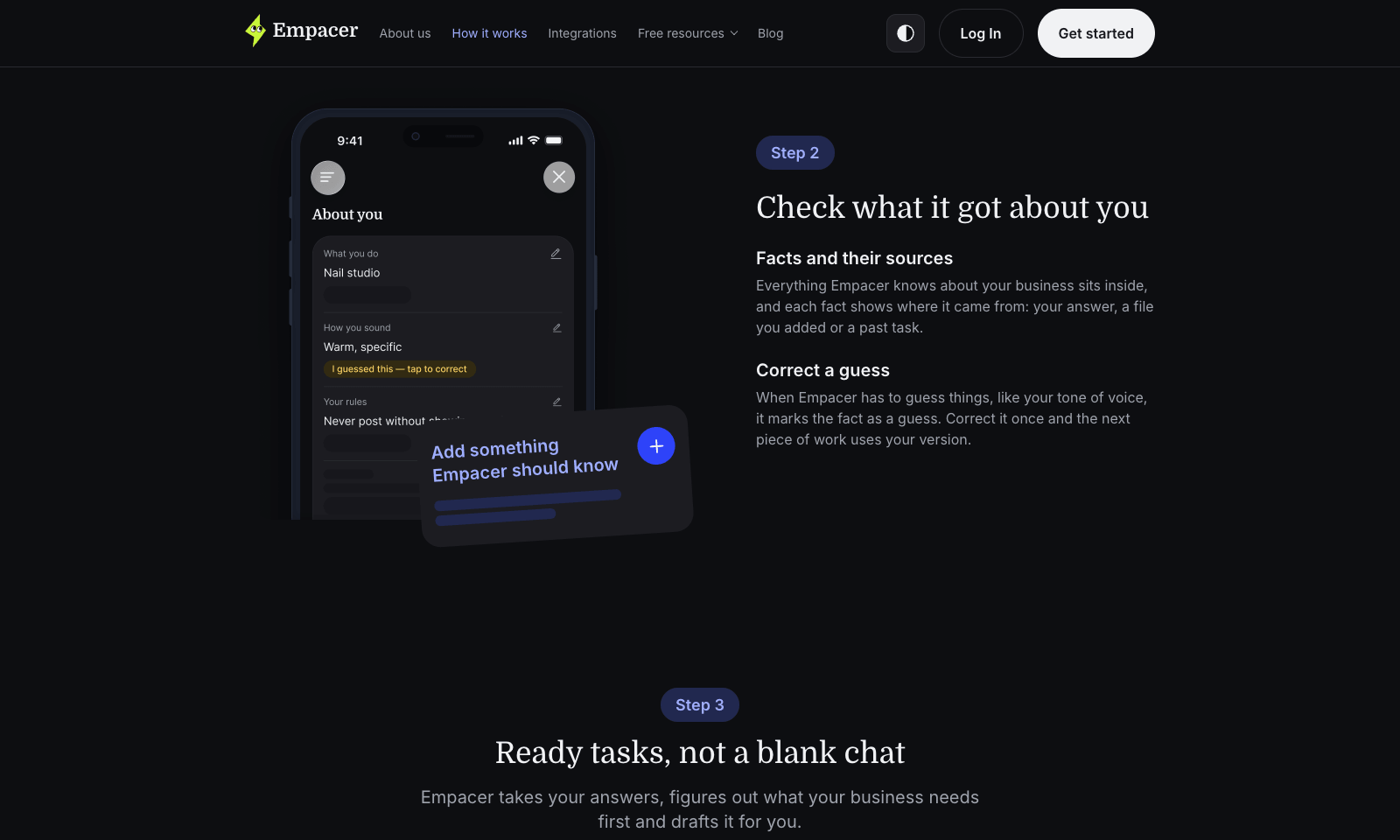
Empacer is an assistant for people who run a business from their phone: the salon owner, the plumber, the two-person bakery. You tap "Think out loud" and say what you need the way you'd brief a new hire. It comes back with the work done: three Instagram posts, a quote, a follow-up to the client who went quiet, a cleaned-up price list. Every draft arrives with Edit and Approve & send buttons, and nothing goes out until you tap the second one. Setup is three questions about your business. Empacer saves the answers as a profile with your prices, your hours, and who your regulars are, then uses it in every draft, so you never write a prompt. It was built for noisy rooms, with voice isolation that filters out hair dryers and traffic. It runs in the browser and on Android, with iOS listed as coming soon. Prices show up only at checkout.

View Details
Yap

Yap

TranscriptionSpeech-To-Text

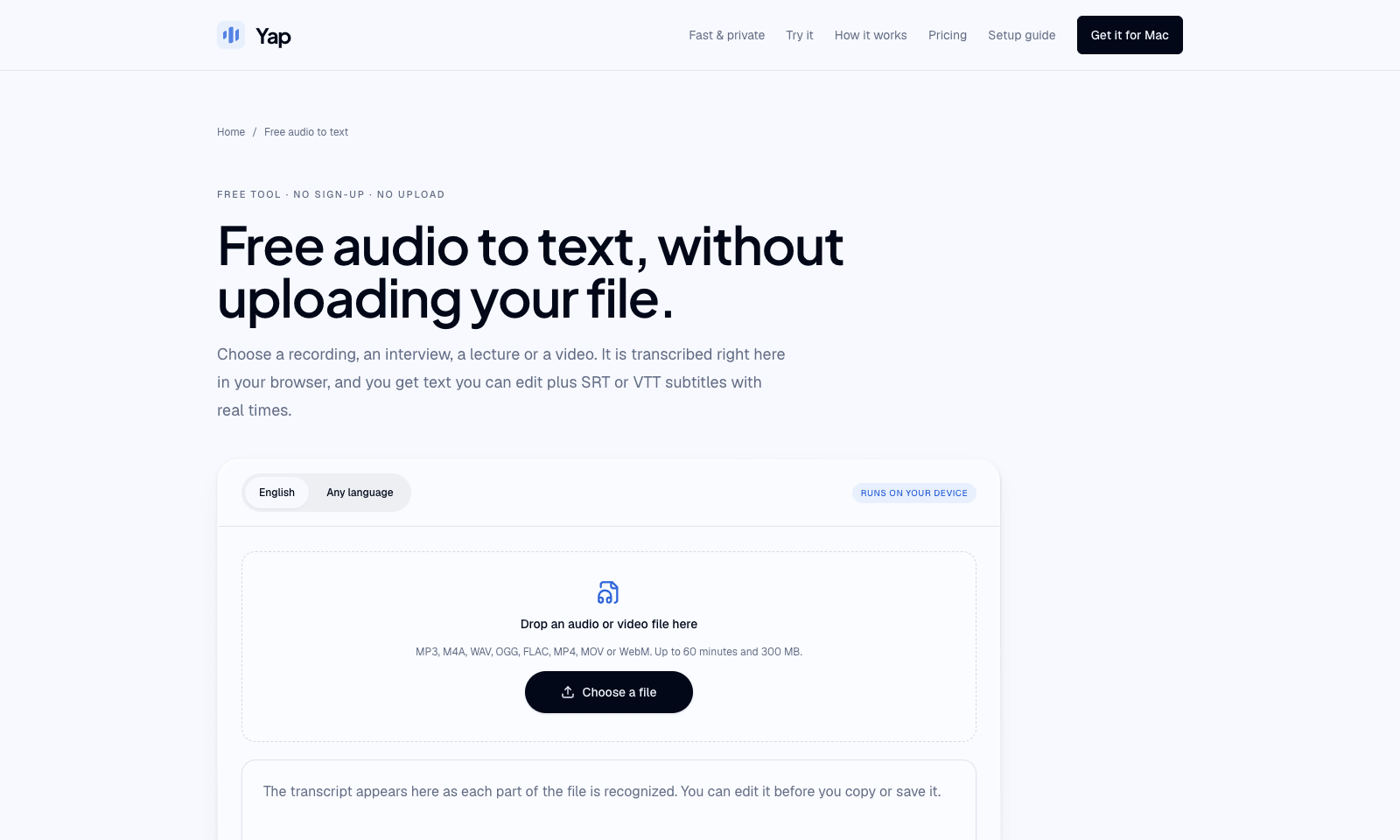
Yap's audio-to-text page turns a recording or a video into text you can edit, plus SRT or VTT subtitles. Drop an MP3, M4A, WAV, FLAC, or a video file on the page. Whisper runs in the browser, so the file never uploads and there is no account. English has its own mode. Any-language mode picks among 99 languages and writes what it heard, without translating. A file can be 60 minutes and 300 MB. The first visit downloads the model, about 80 MB, or about 165 MB if the browser can use the graphics chip. The transcript grows as each short section finishes. Fix names in the box, then copy it or save .txt, .srt, or .vtt. The model is small, so names, crosstalk, music, and a noisy room come out worse than a cloud transcript, and speakers are never labeled. Yap's paid app is separate. After three free days it is $6.90 a month, and it types into the window you have open. This page is only the file.

View Details
DeepCell

DeepCell

ProductivityBusiness Tools

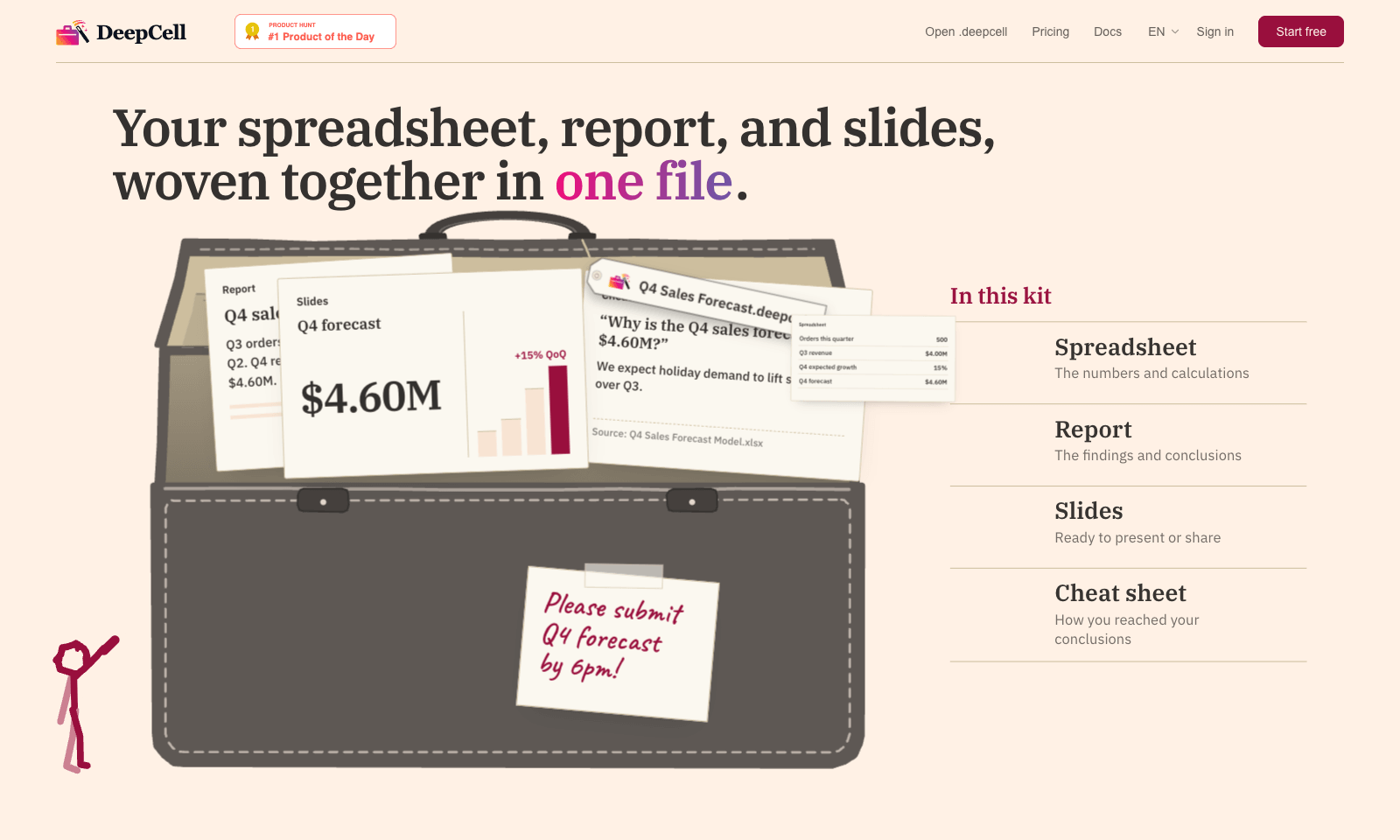
DeepCell keeps your spreadsheet, your write-up, and your slides in one file, so the numbers can't drift apart. Start from last quarter's work and the latest data, and you get back a single .deepcell with a spreadsheet, a report, a deck, and a cheat sheet explaining how you got there. Change one assumption and it flows through everything. In the demo, nudging Q4 growth from 15% to 20% moves the forecast from $4.60M to $4.80M in the sheet, the report, and the slide at once. The cheat sheet is the clever part. When someone asks why the slide says 500 orders and the morning report said 480, it points to the 20-unit order that landed at 11:40 and names the file it came from. You build kits through the AI agent you already use, with DeepCell's CLI and MCP connector doing the work. It's free for individuals with no account needed to start. Sign up if you want to keep files past 30 days. Teams is still on a waitlist.

View Details
AxonSheet

AxonSheet

ProductivityBusiness Tools

AxonSheet is an Excel add-in for doing AI work across lots of cells at once, in the sheet you already have open. Paste in a Word or Markdown dump and it becomes rows. Select empty cells and it fills them using the data around them. You can add a column by describing it in a sentence, add rows that match the table, rewrite cells, or have it look things up on the web and put the results in the grid. If something looks inconsistent, it leaves a comment on the cell. Everything happens inside Excel. It's $49 once for lifetime access, but you plug in your own OpenAI, Gemini, OpenRouter or Ollama key and pay that provider for usage. That's good for privacy and a small hassle to set up. It doesn't work in Google Sheets. And it won't tell you what your numbers mean unless you ask it to.

View Details
TMRW TOOLS

AI tools we'd actually recommend.

A short list of AI tools for everyday work. We try each one before we write about it.

Navigate

  • Home
  • AI Guide
  • Blog
  • About
  • Contact

Tools

  • Browse Tools
  • Meeting notes
  • Voice writing
  • Spreadsheets
  • Short video
  • Submit Tool
  • Categories
  • Partner Program

Follow us

Legal

Privacy PolicyTerms of ServiceImprint
TMRW TOOLS

AI tools we'd actually recommend.

A short list of AI tools for everyday work. We try each one before we write about it.

Follow us

Navigate

  • Home
  • AI Guide
  • Blog
  • About
  • Contact

Tools

  • Browse Tools
  • Meeting notes
  • Voice writing
  • Spreadsheets
  • Short video
  • Submit Tool
  • Categories
  • Partner Program

Legal

  • Privacy Policy
  • Terms of Service
  • Imprint
TMRW TOOLS

AI tools we'd actually recommend.

A short list of AI tools for everyday work. We try each one before we write about it.

Navigate

  • Home
  • AI Guide
  • Blog
  • About
  • Contact

Tools

  • Browse Tools
  • Meeting notes
  • Voice writing
  • Spreadsheets
  • Short video
  • Submit Tool
  • Categories
  • Partner Program

Follow us

Legal

  • Privacy Policy
  • Terms of Service
  • Imprint
© 2026 TMRW TOOLS. All rights reserved.