YapReview: a file into a transcript that stays put
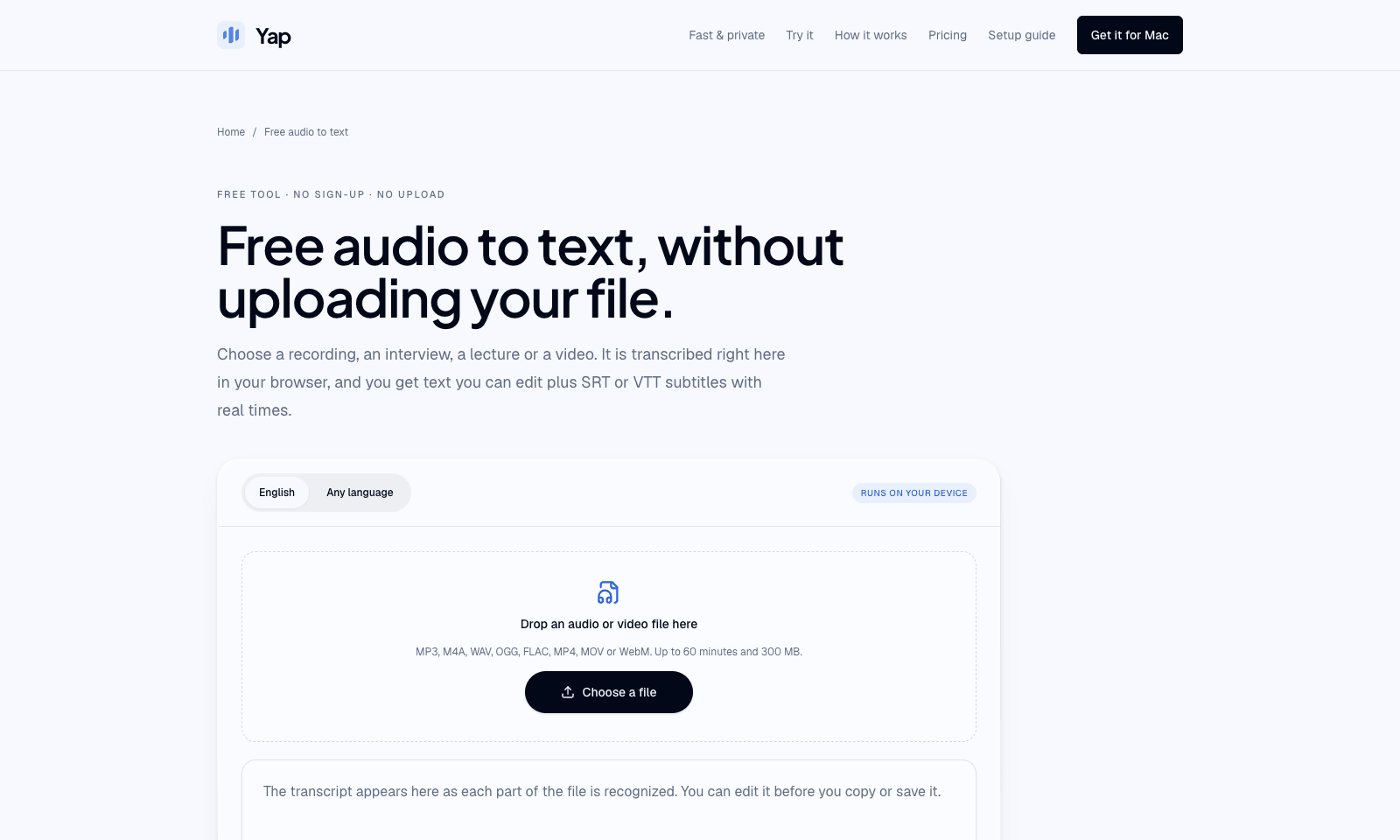
Yap's audio-to-text page turns a recording or a video into text you can edit, plus SRT or VTT subtitles. Drop an MP3, M4A, WAV, FLAC, or a video file on the page. Whisper runs in the browser, so the file never uploads and there is no account. English has its own mode. Any-language mode picks among 99 languages and writes what it heard, without translating. A file can be 60 minutes and 300 MB.
The first visit downloads the model, about 80 MB, or about 165 MB if the browser can use the graphics chip. The transcript grows as each short section finishes. Fix names in the box, then copy it or save .txt, .srt, or .vtt. The model is small, so names, crosstalk, music, and a noisy room come out worse than a cloud transcript, and speakers are never labeled. Yap's paid app is separate. After three free days it is $6.90 a month, and it types into the window you have open. This page is only the file.
Keywords
transcription, subtitles, whisper, privacy
- The file stays in the tab: Drop audio or video. Whisper runs in the browser. No account, no upload.
- English, or 99 languages: English mode is the accurate one. Any-language mode detects the language and transcribes it. It does not translate.
- A transcript you can fix: Text appears section by section. Edit names, then copy or save .txt.
- Subtitles with times: The file is split at pauses. Download .srt or .vtt.
- Small model, hard ceiling: 60 minutes and 300 MB. No speaker labels. Names, crosstalk, and noise suffer.
TMRW VERDICT
The transcript for a file you will not upload
by TMRW Team·Oct 16, 2026
Most free transcription sites are an upload form with a minute cap. This one is a drop zone that keeps the file in the tab. That is the whole argument. A lecture, a client interview, or a voice memo you do not want on someone else's server goes in. Text and timed subtitles come out. There is no account.
The limit is printed on the page, and it is the reason to skip it. The model is small enough to run in a browser, so names, two people talking at once, music, and a noisy room come out wrong. Nobody is labeled. If the words have to be right, use a larger cloud transcript and accept the upload. If you wanted a cleaned rewrite of something you just said, that is AudioPen. If you wanted the words typed into the email already open, that is Loqua. If you wanted to cut the video by editing the text, that is Descript.
Yap's paid Mac and Windows app is live dictation at $6.90 a month after three days. Same job as Loqua, not this page. Use the free transcriber when the file cannot leave the machine and a rough, timed transcript is enough. Bring one quiet speaker. Do not bring a three-guest podcast.