TMRWTOOLS
AboutBlog
Submit Tool
TMRW TOOLS
GuideBlogSubmit Tool
  • 01Home
  • 02Guide
  • 03Blog
  • Submit Tool
HOME/Productivity/Powerdrill Bloom
BACK TO TOOLS
HOME/Productivity/Powerdrill Bloom

Powerdrill BloomReview: spreadsheets into summaries

Powerdrill Bloom screenshot

Powerdrill BloomReview: spreadsheets into summaries

ProductivityBusiness Tools
Freemium

Powerdrill Bloom takes a spreadsheet and gives you back a summary you could hand to your boss. Upload an Excel, CSV or PDF file and a set of AI agents cleans the data, analyzes it and makes charts. You don't write formulas or set up charts, and you don't have to tidy the data first, which is usually the part that makes spreadsheet work miserable. Every finding links back to the rows it came from, so you can check what the AI found instead of taking its word for it. It can also turn your analysis into a presentation you can download, and the AI Data Canvas gives you a board to arrange charts and notes, a bit like a dashboard builder. Plans start at $3.25 a month, which is cheaper than anything similar we've seen.

ProductivityBusiness Tools
Freemium

Keywords

spreadsheet, data analysis, excel, csv, charts, visualization, analytics, dashboard
  • AI agent team: Multiple agents handle cleaning, analysis, and visualization — not just formula suggestions.
  • Insight Trail: Every finding links back to specific data points for verification.
  • Nano Banana Pro: Generates presentation decks from your analysis in real time.
  • $3.25/mo entry: Lowest price point in the AI data analysis category.

TMRW VERDICT

For people who don't know what to ask their data

by TMRW Team·Oct 4, 2026

Powerdrill Bloom solves a different problem from Julius. With Julius you ask questions and it answers from your data. With Powerdrill you upload the data and it goes looking for insights on its own, cleaning up the mess and handing you charts and summaries. That difference matters, because most people don't know which questions to ask.

Insight Trail is the feature that earns trust. Every chart and summary links back to the exact rows in your file. Being able to check the work is what separates it from AI tools that produce analysis that looks plausible but can't be verified.

Best for small-business owners and freelancers who export CSVs and stare at them, wondering what the numbers mean. At $3.25 a month, there's barely a reason not to try it. It only works with uploaded files, though, so if you need live database connections or real-time dashboards, look elsewhere.
More Tools Like This

Savor

Savor

ProductivitySelf-Improvement

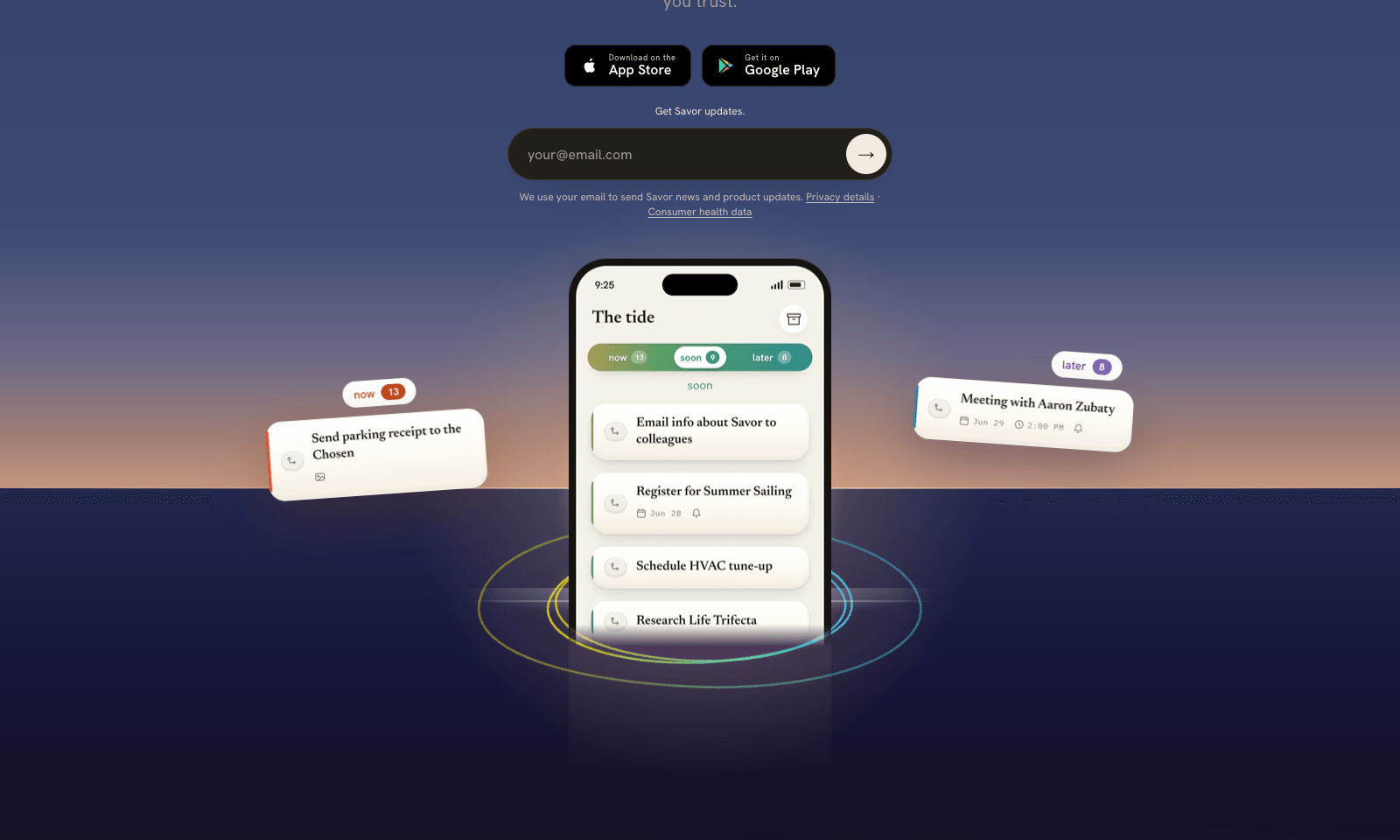
Savor is a free phone app for the things too small or too vague for a to-do list: call the dentist, book that trip, deal with the parking fine. Say it, type it, or snap a photo of the letter or flyer, and Savor turns it into a card. Cards sit in three lanes, Now, Soon, and Later, and come back with a reminder when their date gets close. The AI part is Take Action, still in beta. Open a card and it helps you work out the next step: compare options, build a list, look up public information, or draft the message you've been putting off. You can also hand a card to someone else who uses Savor; once they accept, it's theirs, reminders included. Photos of bills and letters are read automatically, and Siri can add cards hands-free. It's free on iPhone and Android while the company has paid plans on hold.

View Details
Empacer

Empacer

Business ToolsProductivity

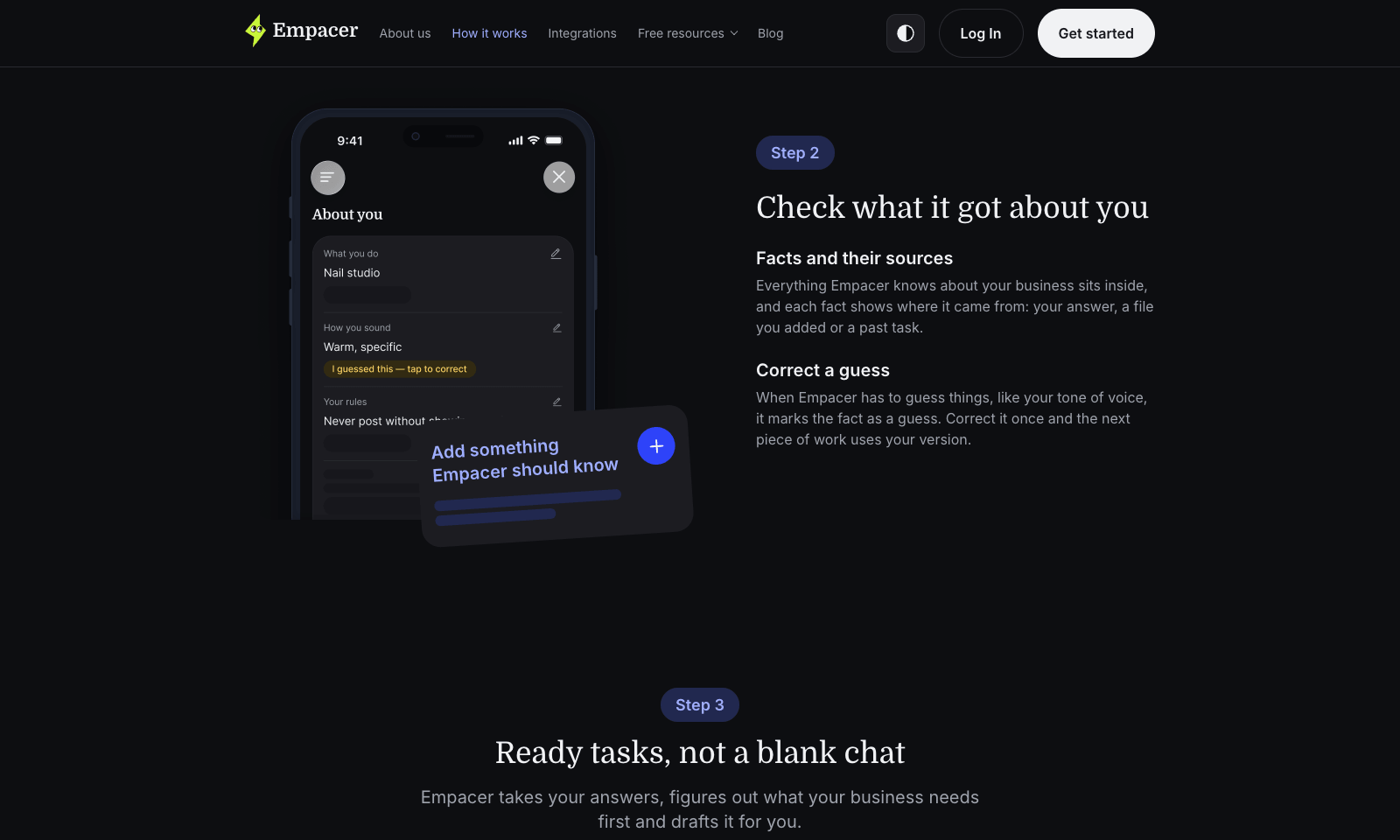
Empacer is an assistant for people who run a business from their phone: the salon owner, the plumber, the two-person bakery. You tap "Think out loud" and say what you need the way you'd brief a new hire. It comes back with the work done: three Instagram posts, a quote, a follow-up to the client who went quiet, a cleaned-up price list. Every draft arrives with Edit and Approve & send buttons, and nothing goes out until you tap the second one. Setup is three questions about your business. Empacer saves the answers as a profile with your prices, your hours, and who your regulars are, then uses it in every draft, so you never write a prompt. It was built for noisy rooms, with voice isolation that filters out hair dryers and traffic. It runs in the browser and on Android, with iOS listed as coming soon. Prices show up only at checkout.

View Details
Lightfield

Lightfield

Business Tools

Lightfield is a CRM that fills itself in from your emails and calls. Connect Gmail or Outlook and your calendar, and a new meeting creates the contact before you even join. After the call you get the recording, a summary, suggested updates to the record for you to approve, and the tasks that came up, like sending your availability or drafting an onboarding plan, each with an owner and a due date. Granola keeps your meeting notes. Lightfield keeps track of the deal. Starter is $89 per user per month for up to three people, with a free trial. Pro is $999 a month per workspace, billed yearly, with five recording seats, email sequences and dashboards. It records Zoom and Google Meet and matches emails to the right account without you having to BCC anything. If you don't sell anything, you don't need it.

View Details
Scape

Scape

Productivity

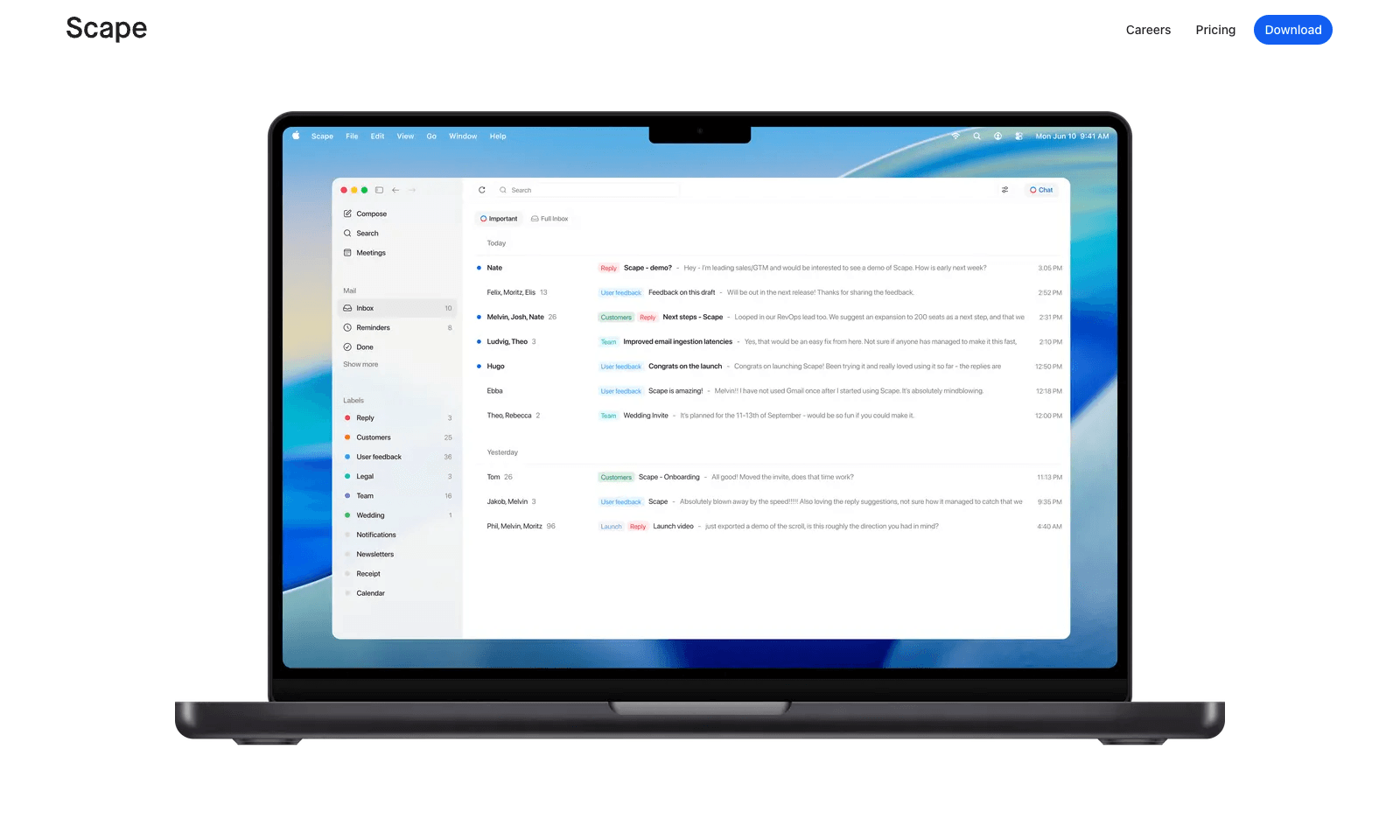
Scape is a desktop email app that reads ahead. Before you open a thread, it has picked out the few emails that need you, drafted the replies, and pulled in what it needs from your calendar, attachments, and past meetings. You review, edit, and send. The rest of the inbox gets labels that sync back to Gmail, so nothing is lost if you open Gmail later. The meeting part is what sets it apart. Scape spots your next Zoom, Meet, Teams, or FaceTime call and records it on your Mac with one click, no bot in the call, transcribing in 99 languages. When the call ends, the follow-up email is already drafted from what was said. It's a preview release from a Stockholm team backed by Y Combinator. Free covers unlimited inboxes and recordings. Plus is $20 a month for automations and higher AI limits; Max is $100.

View Details
TMRW TOOLS

AI tools we'd actually recommend.

A short list of AI tools for everyday work. We try each one before we write about it.

Navigate

  • Home
  • AI Guide
  • Blog
  • About
  • Contact

Tools

  • Browse Tools
  • Meeting notes
  • Voice writing
  • Spreadsheets
  • Short video
  • Submit Tool
  • Categories
  • Partner Program

Follow us

Legal

Privacy PolicyTerms of ServiceImprint
TMRW TOOLS

AI tools we'd actually recommend.

A short list of AI tools for everyday work. We try each one before we write about it.

Follow us

Navigate

  • Home
  • AI Guide
  • Blog
  • About
  • Contact

Tools

  • Browse Tools
  • Meeting notes
  • Voice writing
  • Spreadsheets
  • Short video
  • Submit Tool
  • Categories
  • Partner Program

Legal

  • Privacy Policy
  • Terms of Service
  • Imprint
TMRW TOOLS

AI tools we'd actually recommend.

A short list of AI tools for everyday work. We try each one before we write about it.

Navigate

  • Home
  • AI Guide
  • Blog
  • About
  • Contact

Tools

  • Browse Tools
  • Meeting notes
  • Voice writing
  • Spreadsheets
  • Short video
  • Submit Tool
  • Categories
  • Partner Program

Follow us

Legal

  • Privacy Policy
  • Terms of Service
  • Imprint
© 2026 TMRW TOOLS. All rights reserved.