TMRWTOOLS
AboutBlog
Submit Tool
TMRW TOOLS
GuideBlogSubmit Tool
  • 01Home
  • 02Guide
  • 03Blog
  • Submit Tool
HOME/Video Tools/Riverside Agents
BACK TO TOOLS
HOME/Video Tools/Riverside Agents

Riverside AgentsReview: a podcast crew that drafts every step
Riverside Agents screenshot

Riverside AgentsReview: a podcast crew that drafts every step

Video ToolsGenerative Video
Freemium

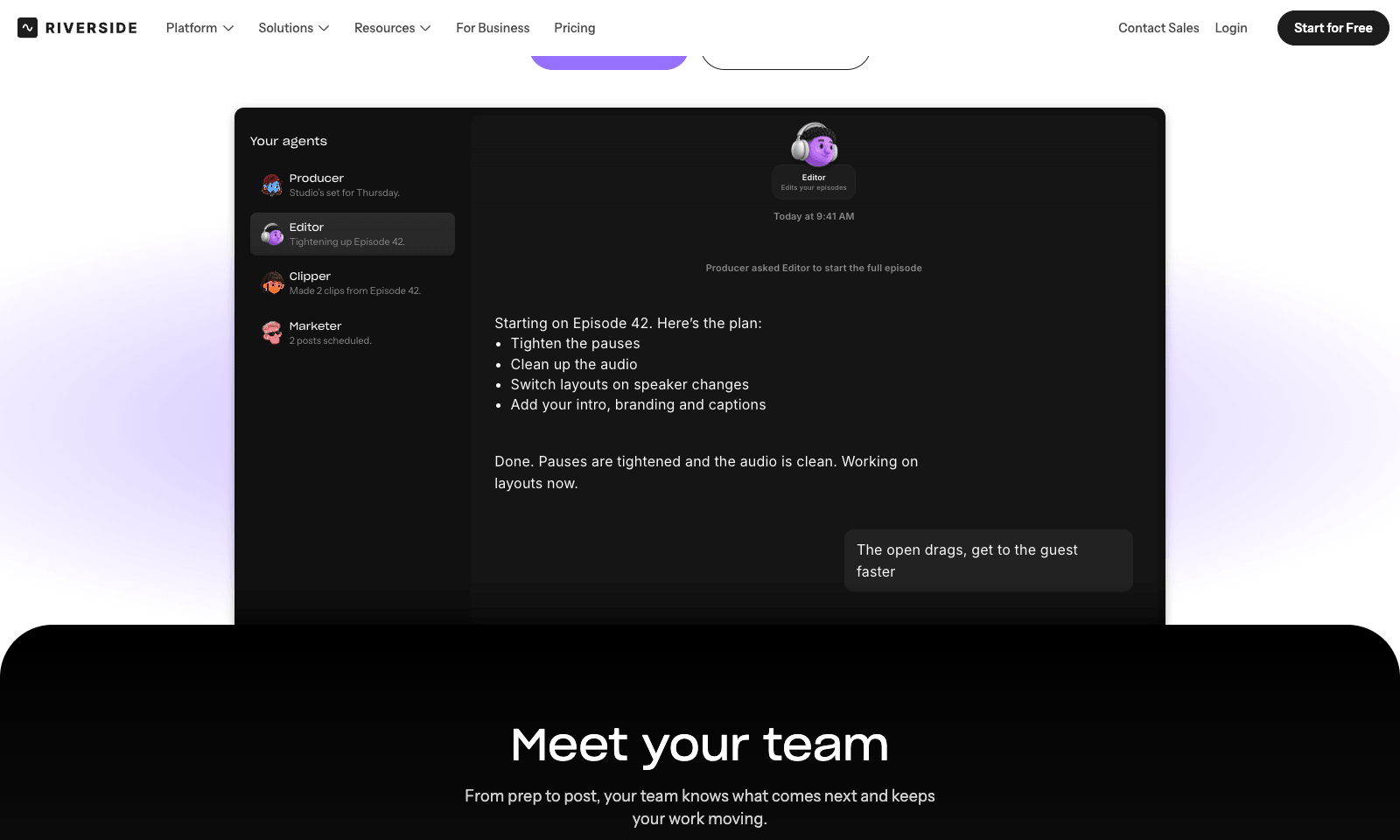
Riverside Agents adds four AI helpers to Riverside's recording studio. Producer preps the session, down to suggesting eight questions worth asking your guest. Editor turns the raw recording into an episode: it tightens pacing, cleans up audio, cuts filler words, switches layouts, and adds captions and branding. Clipper finds the moments worth posting and cuts them. Marketer writes the captions and the newsletter and schedules the posts.

You decide how much to hand over. Any step can stay manual, and nothing is published until you approve it. The agents also work on old recordings, so a back catalog can be clipped and promoted again. For businesses, the same crew sets up a webinar's registration page, invites, and run of show. Agents ship on every plan, on web and mobile. Pro is $29 a month, or $24 billed yearly, with 2,000 AI credits. Extras like AI B-roll spend credits when an agent uses them.

Video ToolsGenerative Video
Freemium

Keywords

podcast, video editing, clips, social posts, webinars
  • Producer: Session prep and guest questions before you hit record.
  • Editor: Pacing, filler words, audio cleanup, layouts, captions, and branding.
  • Clipper: Picks the moments for social and cuts them.
  • Marketer: Captions, newsletter drafts, and a posting schedule, all waiting for approval.
  • Back catalog: Works on recordings you made before the agents existed.

TMRW VERDICT

The best case yet for letting AI produce your podcast

by TMRW Team·Nov 2, 2026

A solo podcaster's real job isn't the hour of talking. It's the four hours after: cutting, captioning, clipping, posting. Riverside already owned the recording; now it wants the rest. Splitting the work into producer, editor, clipper, and marketer is smart, because it mirrors how a real show runs and lets you keep the parts you care about.

If you already record on Riverside, turn this on today; it's included in the plan you pay for. If you edit in Descript, it's closer. Descript's text-based editing is still the more precise tool for a careful cut, while Riverside wins on the whole chain from prep to posting. OpusClip only does the clipping.

Skip it if your show has an editing style you're proud of, because an agent will sand it down. And the free plan's 720p cap and watermark mean you'll be paying $29 a month before any of this is fit to publish.

More Tools Like This

Pexo

Pexo

Video ToolsMarketing

Pexo is an AI video agent that produces launch and product videos from a conversation. It's for founders, marketers and product teams who need a polished video and have no interest in learning to edit one. You share your product, website or assets, and Pexo plans the story, writes the script, picks an AI model for each step and assembles the final cut with voiceover, music and captions. There is no timeline to work in: you click a frame or circle what you want changed, and Pexo makes the edit. If you want more control, you can bring your own script and review the storyboard before production starts.

View Details
Kling AI

Kling AI

Generative VideoVideo Tools

Kling 3.0 makes realistic video clips from a text prompt or a reference image, with sound, lip-synced dialogue and movement that obeys physics. People are where it shines. Walking, running and gestures look natural enough to actually use, which still isn't true of most AI video. It can generate up to six connected shots in one go, so you spend less time stitching clips together. The free plan gives you 66 credits a day at 1080p, enough to find out if it suits your work. Professional mode costs twice the credits for harder prompts. Keep in mind that it makes clips and doesn't edit them. You'll still need a video editor to put the final piece together. And if you'd rather steer a scene live than wait for a file, try PixVerse R2.

View Details
Hob

Hob

Productivity

Hob is a free desktop assistant that runs entirely on your own computer. Install it and it picks an open model that fits your machine, such as Google's Gemma or OpenAI's gpt-oss, then downloads and sets it up. After that you use it like ChatGPT, with one difference: your chats and files never leave the laptop. No account, no subscription, no telemetry, and it keeps working offline. It does real file work. Point it at a folder and it can read a sales spreadsheet and chart revenue by region, fill out a PDF form, or edit a document. It asks before every change and lets you undo one it got wrong. On Mac, Mail and Calendar are built in. It needs 8 GB of RAM at minimum, 16 GB for everyday work, and 10 to 25 GB of disk. It runs on Apple silicon Macs, Windows, and Linux, and it's MIT-licensed by Frigade.

View Details
Strawberry

Strawberry

AutomationProductivity

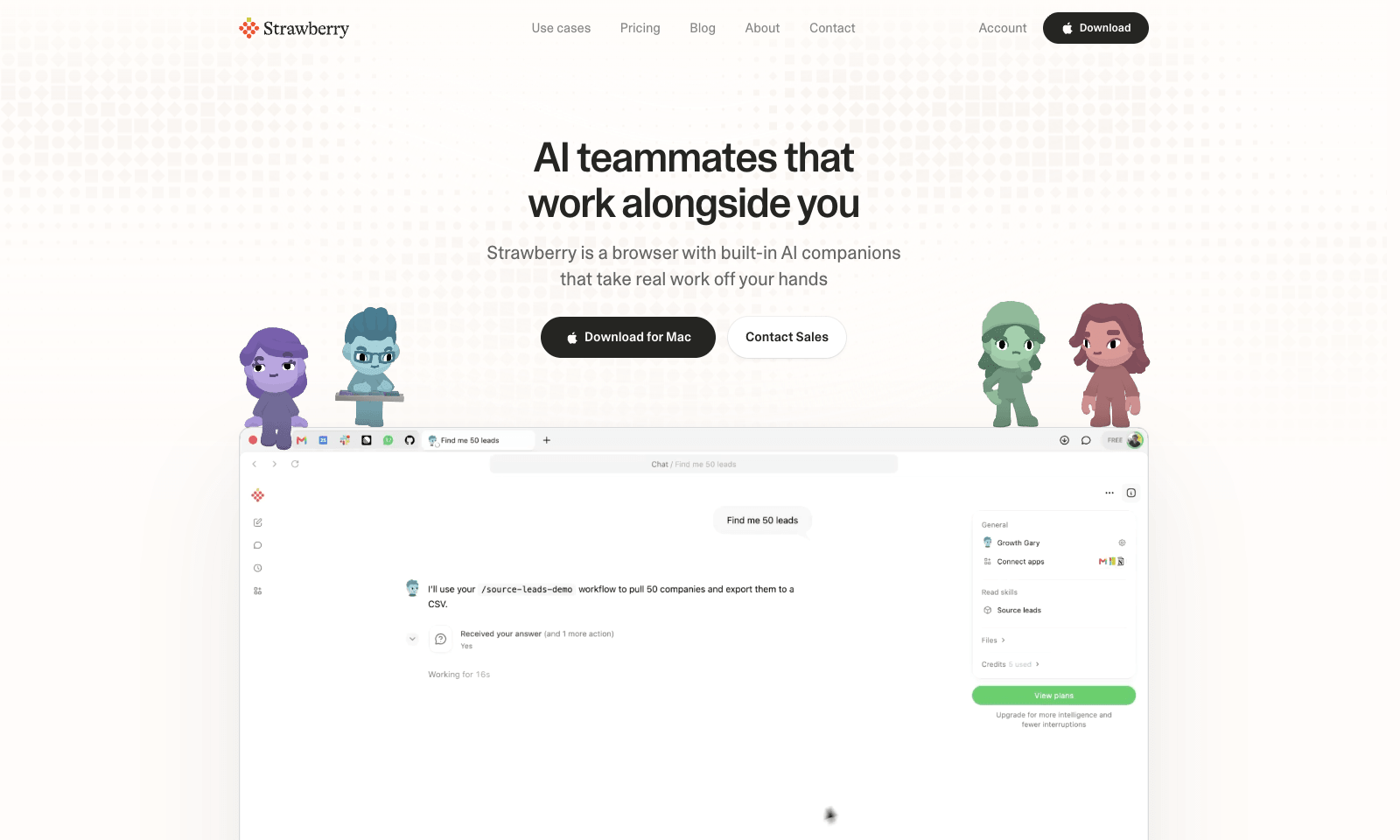
Strawberry is a desktop browser for Mac and Windows with AI "companions" that work inside your open tabs. Ask Sales Sally for prospects from LinkedIn and she builds the lead list in a Google Sheet, with company names and a fit rating. Talent Theo scores candidates against a role. Executive Ellis writes a morning brief and tracks follow-ups. You can also build your own companion around a process your team repeats every week. Because it's a real browser, the companions can work on pages behind your logins, like LinkedIn, HubSpot, and Gmail. Strawberry says passwords, cookies, and history stay on your machine, and you set permissions per app and per action. It also transcribes Zoom, Teams, and Meet calls without a bot joining. Browsing is free. Companion work costs credits: 500 a month free, then $20 for 6,000, up to $250 for 75,000.

View Details
TMRW TOOLS

AI tools we'd actually recommend.

A short list of AI tools for everyday work. We try each one before we write about it.

Navigate

  • Home
  • AI Guide
  • Blog
  • About
  • Contact

Tools

  • Browse Tools
  • Meeting notes
  • Voice writing
  • Spreadsheets
  • Short video
  • Submit Tool
  • Categories
  • Partner Program

Follow us

Legal

Privacy PolicyTerms of ServiceImprint
TMRW TOOLS

AI tools we'd actually recommend.

A short list of AI tools for everyday work. We try each one before we write about it.

Follow us

Navigate

  • Home
  • AI Guide
  • Blog
  • About
  • Contact

Tools

  • Browse Tools
  • Meeting notes
  • Voice writing
  • Spreadsheets
  • Short video
  • Submit Tool
  • Categories
  • Partner Program

Legal

  • Privacy Policy
  • Terms of Service
  • Imprint
TMRW TOOLS

AI tools we'd actually recommend.

A short list of AI tools for everyday work. We try each one before we write about it.

Navigate

  • Home
  • AI Guide
  • Blog
  • About
  • Contact

Tools

  • Browse Tools
  • Meeting notes
  • Voice writing
  • Spreadsheets
  • Short video
  • Submit Tool
  • Categories
  • Partner Program

Follow us

Legal

  • Privacy Policy
  • Terms of Service
  • Imprint
© 2026 TMRW TOOLS. All rights reserved.