TMRWTOOLS
AboutBlog
Submit Tool
TMRW TOOLS
GuideBlogSubmit Tool
  • 01Home
  • 02Guide
  • 03Blog
  • Submit Tool
HOME/Marketing/AdAnt
BACK TO TOOLS
HOME/Marketing/AdAnt

AdAntReview: short-form ads from a URL

AdAnt screenshot

AdAntReview: short-form ads from a URL

MarketingVideo Tools
Freemium

AdAnt takes a product URL or a viral video and turns it into short vertical ads you can keep tweaking in chat. One agent reads your site and pulls formats that are working on TikTok, Reels and Meta. A second one rebuilds that format with your product and an avatar. You pick the template, the avatar and the product, and it generates a batch of 9:16 versions. You get 50 credits when you sign up. Pro is $32.50 a month billed yearly ($390) for 150 credits, which works out to about 300 seconds of video or 2,000 images. Max is $82.50 a month, also billed yearly. The Social Manager tab, which would schedule and post for you, still says coming soon. There's no proper editor, and if all you want is to chop a long recording into clips, OpusClip does that better.

MarketingVideo Tools
Freemium

Keywords

tiktok, reels, youtube shorts, ads, ugc, avatars, social video
  • Studio on the homepage: Prompt, template wall, and generated 9:16 cards in one canvas.
  • Three levers: Template, avatar, and product. Recreate a winning format for your URL instead of prompting a clip from scratch.
  • Strategy then video: Content Strategy reads the site and names formats; Social Video renders. Social Manager (schedule/post) is labeled coming soon.
  • Credits: 50 on sign-up. Pro $32.50/mo billed yearly, Max $82.50/mo billed yearly. Monthly list prices on the pricing page are higher.
  • ChatGPT plugin: Same agents can run inside ChatGPT desktop or Codex with OAuth.

TMRW VERDICT

For brands that want ten ad tests by Friday

by TMRW Team·Oct 4, 2026

OpusClip cuts up a long video you already shot. Kling makes a clip from a prompt. AdAnt does a third thing. You have a product page and a TikTok you wish you'd made, and you want a batch of 9:16 tests by Friday. The workflow fits that job well. It researches your site and recent ads, suggests formats like a UGC talking head or an avatar skit, and generates versions with your product already in them.

Ignore the "viral" talk on its site. Nobody can promise that. What you get is a quick loop: URL in, formats suggested, variants out, and you keep editing in chat. Social Manager isn't out yet, so it won't schedule or post for you. Max and the $5,000 studio package are for people who already spend money on ads, not for a first experiment.

Best for small brands that will actually run TikTok and Reels tests. If you already have footage to cut, need frame-by-frame editing, or want Kling's cinematic clips, look elsewhere.


More Tools Like This

Mimelio

Mimelio

Marketing

Mimelio rewrites your landing page to match the Google Ads search that brought each visitor there. You add one small script tag, and before the page appears it swaps the headline, body copy and button text based on two things Google already sends with every paid click: what the person searched for, and the location they care about. Someone who searched "divorce attorney Chicago" lands on a page that says exactly that, and you don't have to maintain ten copies of the same page. It's more careful than most tools like this. It uses Google's location signal instead of guessing from the IP address, and falls back to a default city you choose, so visitors never see a broken {city} tag. Your own AI assistant writes the copy over MCP, and nothing goes live until a person approves it. If anything breaks, visitors see your original page. Starter is €39 a month for one project, with a 30-day free trial and no card needed.

View Details
MOVO AI

MOVO AI

Generative VideoVideo Tools

MOVO AI is a video agent you talk to. Describe your idea, drop in reference images, and it plans the scenes, generates the clips, and stitches them into one video, including stories that run past two minutes. You steer it in plain language: slow the pacing, redo a shot, extend a scene. Projects remember your characters, products, and locations, so episode two can look like episode one. You can work on the web or in the mobile app. Behind the chat, MOVO uses outside models, including Seedance 2.5 and 2.0 for video, Nano Banana Pro and GPT Image 2.5 for stills, and ElevenLabs for voice. New accounts get 100 free credits. Starter is $19 a month for 500 credits, which MOVO says buys about 50 seconds of Seedance 2.0 Fast video. Pro is $49 for 2,000 credits and Max is $119 for 5,000, with roughly 10% off if you pay yearly. Paid plans export without a watermark.

View Details
Savor

Savor

ProductivitySelf-Improvement

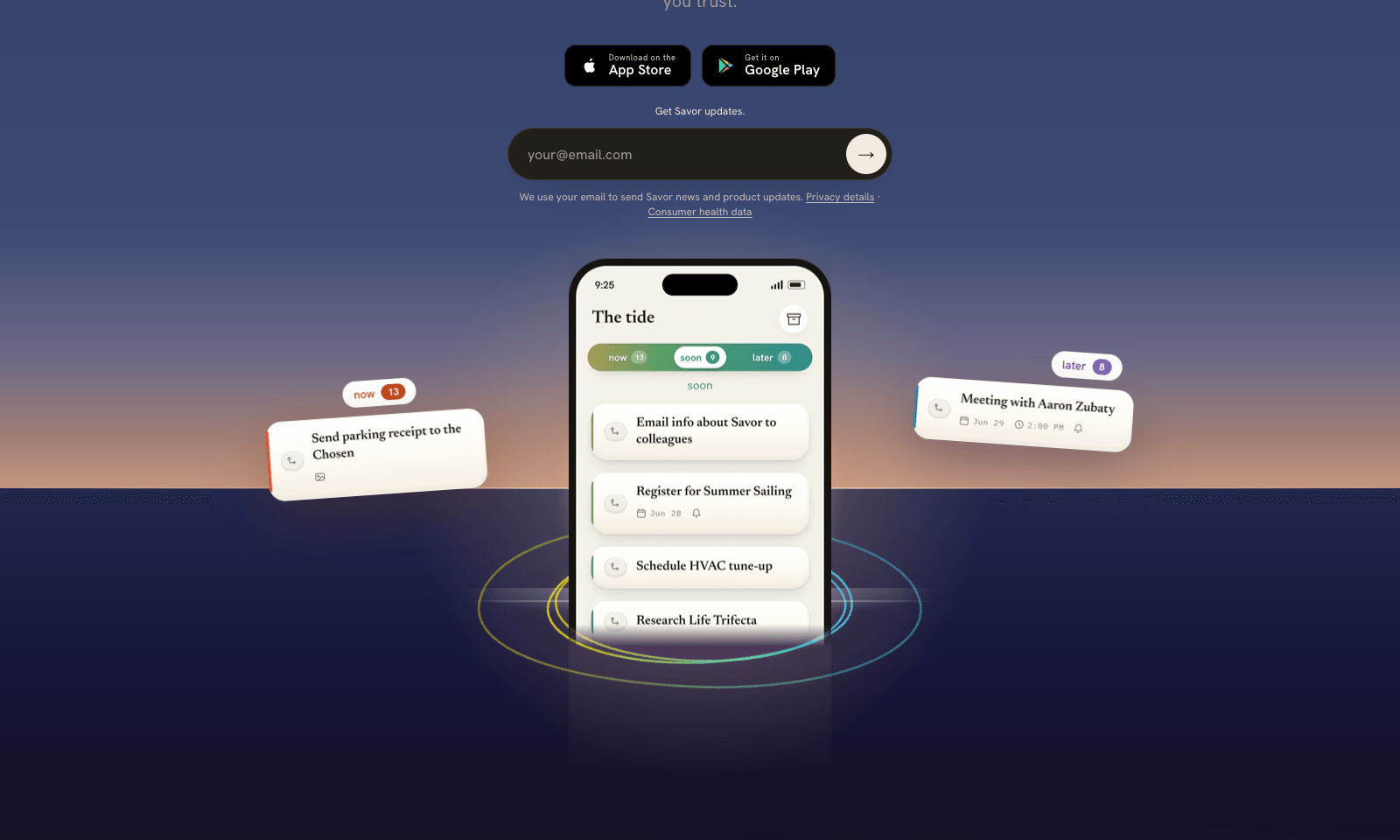
Savor is a free phone app for the things too small or too vague for a to-do list: call the dentist, book that trip, deal with the parking fine. Say it, type it, or snap a photo of the letter or flyer, and Savor turns it into a card. Cards sit in three lanes, Now, Soon, and Later, and come back with a reminder when their date gets close. The AI part is Take Action, still in beta. Open a card and it helps you work out the next step: compare options, build a list, look up public information, or draft the message you've been putting off. You can also hand a card to someone else who uses Savor; once they accept, it's theirs, reminders included. Photos of bills and letters are read automatically, and Siri can add cards hands-free. It's free on iPhone and Android while the company has paid plans on hold.

View Details
Scape

Scape

Productivity

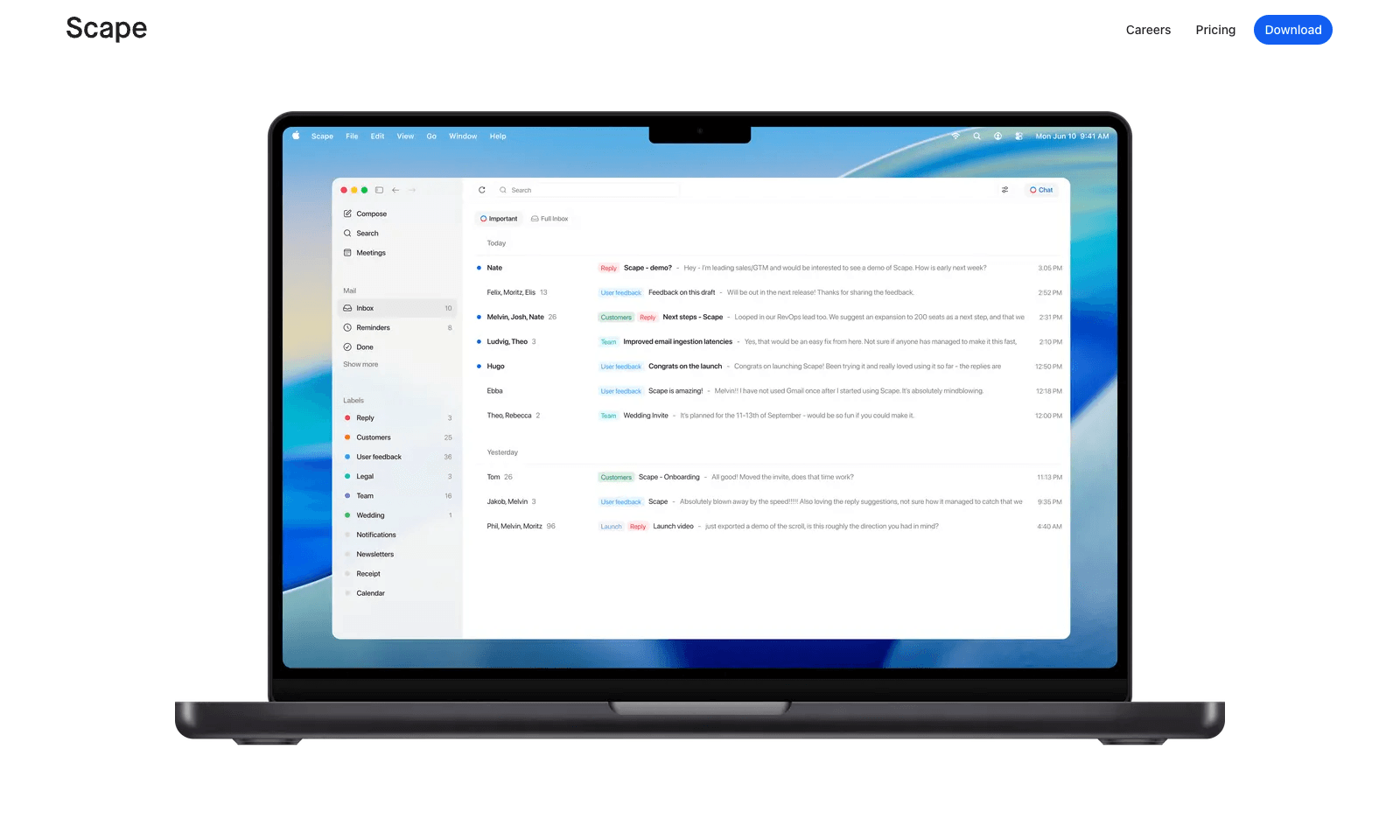
Scape is a desktop email app that reads ahead. Before you open a thread, it has picked out the few emails that need you, drafted the replies, and pulled in what it needs from your calendar, attachments, and past meetings. You review, edit, and send. The rest of the inbox gets labels that sync back to Gmail, so nothing is lost if you open Gmail later. The meeting part is what sets it apart. Scape spots your next Zoom, Meet, Teams, or FaceTime call and records it on your Mac with one click, no bot in the call, transcribing in 99 languages. When the call ends, the follow-up email is already drafted from what was said. It's a preview release from a Stockholm team backed by Y Combinator. Free covers unlimited inboxes and recordings. Plus is $20 a month for automations and higher AI limits; Max is $100.

View Details
TMRW TOOLS

AI tools we'd actually recommend.

A short list of AI tools for everyday work. We try each one before we write about it.

Navigate

  • Home
  • AI Guide
  • Blog
  • About
  • Contact

Tools

  • Browse Tools
  • Meeting notes
  • Voice writing
  • Spreadsheets
  • Short video
  • Submit Tool
  • Categories
  • Partner Program

Follow us

Legal

Privacy PolicyTerms of ServiceImprint
TMRW TOOLS

AI tools we'd actually recommend.

A short list of AI tools for everyday work. We try each one before we write about it.

Follow us

Navigate

  • Home
  • AI Guide
  • Blog
  • About
  • Contact

Tools

  • Browse Tools
  • Meeting notes
  • Voice writing
  • Spreadsheets
  • Short video
  • Submit Tool
  • Categories
  • Partner Program

Legal

  • Privacy Policy
  • Terms of Service
  • Imprint
TMRW TOOLS

AI tools we'd actually recommend.

A short list of AI tools for everyday work. We try each one before we write about it.

Navigate

  • Home
  • AI Guide
  • Blog
  • About
  • Contact

Tools

  • Browse Tools
  • Meeting notes
  • Voice writing
  • Spreadsheets
  • Short video
  • Submit Tool
  • Categories
  • Partner Program

Follow us

Legal

  • Privacy Policy
  • Terms of Service
  • Imprint
© 2026 TMRW TOOLS. All rights reserved.