TMRWTOOLS
AboutBlog
Submit Tool
TMRW TOOLS
GuideBlogSubmit Tool
  • 01Home
  • 02Guide
  • 03Blog
  • Submit Tool
HOME/Generative Video/MOVO AI
BACK TO TOOLS
HOME/Generative Video/MOVO AI

MOVO AIReview: a long video you direct in chat

MOVO AI screenshot

MOVO AIReview: a long video you direct in chat

Generative VideoVideo Tools
Freemium

MOVO AI is a video agent you talk to. Describe your idea, drop in reference images, and it plans the scenes, generates the clips, and stitches them into one video, including stories that run past two minutes. You steer it in plain language: slow the pacing, redo a shot, extend a scene. Projects remember your characters, products, and locations, so episode two can look like episode one. You can work on the web or in the mobile app.

Behind the chat, MOVO uses outside models, including Seedance 2.5 and 2.0 for video, Nano Banana Pro and GPT Image 2.5 for stills, and ElevenLabs for voice. New accounts get 100 free credits. Starter is $19 a month for 500 credits, which MOVO says buys about 50 seconds of Seedance 2.0 Fast video. Pro is $49 for 2,000 credits and Max is $119 for 5,000, with roughly 10% off if you pay yearly. Paid plans export without a watermark.

Generative VideoVideo Tools
Freemium

Keywords

video, long-form, iphone, seedance, chat
  • Direct it by chat: Ask for changes in plain words. No prompt tricks, no timeline to manage.
  • Long videos in one session: It plans, generates, and assembles pieces of two minutes or more.
  • A consistent cast: Projects keep characters, products, and scenes the same across shots and episodes.
  • Learns from references: Upload examples and it picks up their style and structure.
  • Credits go fast: 100 free, then $19, $49, or $119 a month.

TMRW VERDICT

Makes the whole video, not just the clip

by TMRW Team·Oct 25, 2026

Most AI video tools hand you a five-second clip and leave the rest to you: write the next prompt, keep the character's face the same, line it all up in an editor. MOVO wants to be the director instead. You talk, it plans, and you get back a finished multi-minute piece with the same cast throughout. If you've ever lost an evening stitching clips together, you'll see the appeal right away.

Kling is still the pick for one gorgeous standalone shot. OpusClip is better when you already have a long recording and want short cuts from it. For a quick social video from a script, try Spira Maxima. MOVO is for stories, ads, and mini-series where shot three has to match shot one.

Budget is the catch. The 100 free credits will show you whether the chat understands your idea, but they won't finish a project, and Starter buys you less than a minute of video a month. Spend the free credits on something with a face or product you'd recognize anywhere. If it's still clearly the same person in scene two, MOVO is worth paying for. If it drifts, you're back to stitching by hand.

More Tools Like This

Viggle

Viggle

Video ToolsGenerative Video

Viggle takes a still image of a character and makes it move. Give it a picture plus a reference video or a text prompt, and its JST-1 model maps realistic movement onto the character: walking, dancing, gesturing. The motion has weight to it, so the character looks like it's standing on the ground instead of floating. It started out on Discord and now has web and mobile apps, which makes it much easier to pick up. The free plan gives you five videos a day. The limits are real. Clips run under 15 seconds, there's no audio, and beyond the preset animation styles you can't customize much. It's fun to play with and good for quick social clips and memes. Don't expect an animation studio.

View Details
AdAnt

AdAnt

MarketingVideo Tools

AdAnt takes a product URL or a viral video and turns it into short vertical ads you can keep tweaking in chat. One agent reads your site and pulls formats that are working on TikTok, Reels and Meta. A second one rebuilds that format with your product and an avatar. You pick the template, the avatar and the product, and it generates a batch of 9:16 versions. You get 50 credits when you sign up. Pro is $32.50 a month billed yearly ($390) for 150 credits, which works out to about 300 seconds of video or 2,000 images. Max is $82.50 a month, also billed yearly. The Social Manager tab, which would schedule and post for you, still says coming soon. There's no proper editor, and if all you want is to chop a long recording into clips, OpusClip does that better.

View Details
Gauth

Gauth

ResearchSelf-Improvement

Gauth is an AI study app for students. It solves problems step by step, tutors you through concepts you don't understand, and builds full lessons on any topic you choose. Those lessons play out on a single endless whiteboard. Chapters open side by side while an AI voice narrates and the board notes write themselves in sync. You can zoom from the full concept map down to a single formula. When you pause to ask the tutor something, the answer appears on the board right under that step and stays there.

View Details
Yap

Yap

TranscriptionSpeech-To-Text

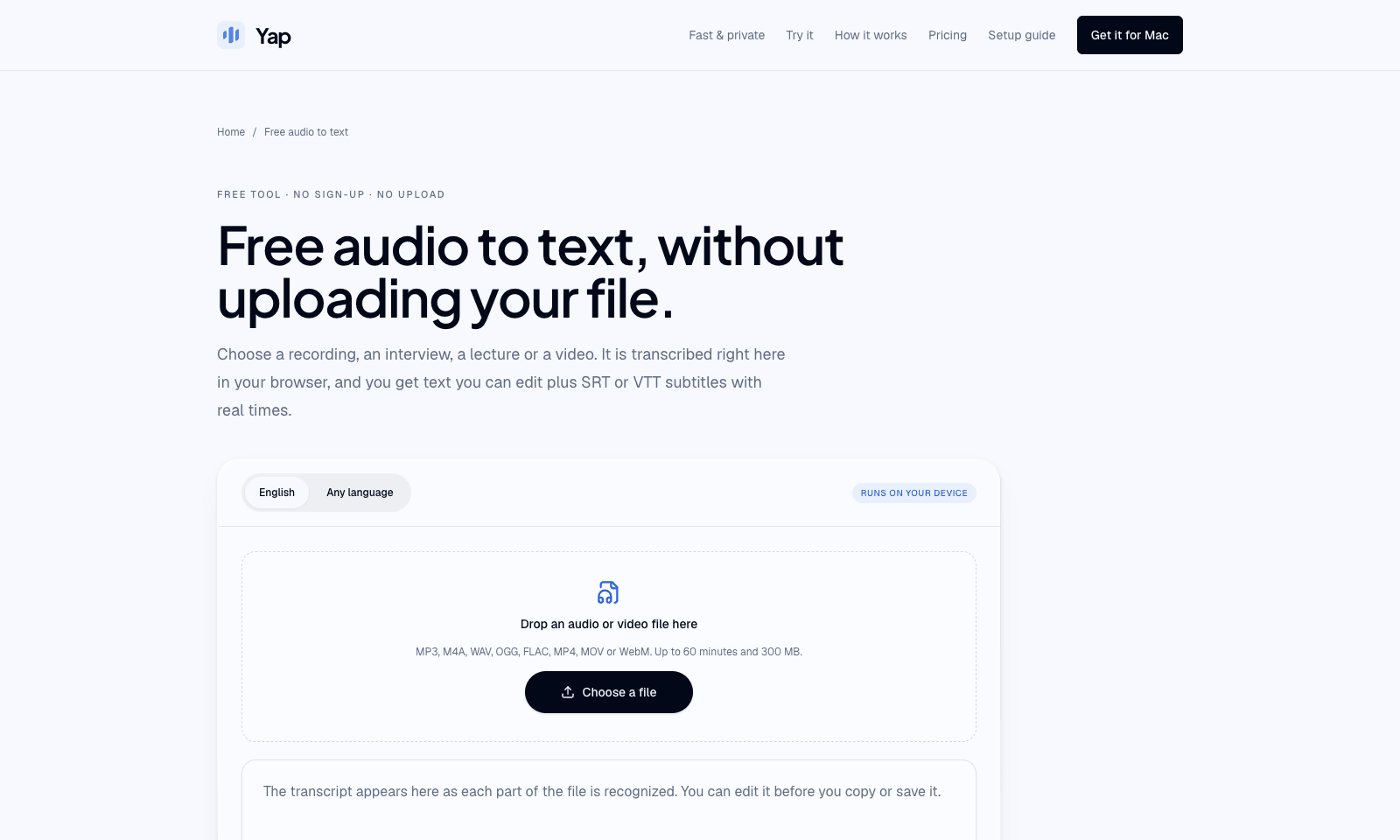
Yap's audio-to-text page turns a recording or a video into text you can edit, plus SRT or VTT subtitles. Drop an MP3, M4A, WAV, FLAC, or a video file on the page. Whisper runs in the browser, so the file never uploads and there is no account. English has its own mode. Any-language mode picks among 99 languages and writes what it heard, without translating. A file can be 60 minutes and 300 MB. The first visit downloads the model, about 80 MB, or about 165 MB if the browser can use the graphics chip. The transcript grows as each short section finishes. Fix names in the box, then copy it or save .txt, .srt, or .vtt. The model is small, so names, crosstalk, music, and a noisy room come out worse than a cloud transcript, and speakers are never labeled. Yap's paid app is separate. After three free days it is $6.90 a month, and it types into the window you have open. This page is only the file.

View Details
TMRW TOOLS

AI tools we'd actually recommend.

A short list of AI tools for everyday work. We try each one before we write about it.

Navigate

  • Home
  • AI Guide
  • Blog
  • About
  • Contact

Tools

  • Browse Tools
  • Meeting notes
  • Voice writing
  • Spreadsheets
  • Short video
  • Submit Tool
  • Categories
  • Partner Program

Follow us

Legal

Privacy PolicyTerms of ServiceImprint
TMRW TOOLS

AI tools we'd actually recommend.

A short list of AI tools for everyday work. We try each one before we write about it.

Follow us

Navigate

  • Home
  • AI Guide
  • Blog
  • About
  • Contact

Tools

  • Browse Tools
  • Meeting notes
  • Voice writing
  • Spreadsheets
  • Short video
  • Submit Tool
  • Categories
  • Partner Program

Legal

  • Privacy Policy
  • Terms of Service
  • Imprint
TMRW TOOLS

AI tools we'd actually recommend.

A short list of AI tools for everyday work. We try each one before we write about it.

Navigate

  • Home
  • AI Guide
  • Blog
  • About
  • Contact

Tools

  • Browse Tools
  • Meeting notes
  • Voice writing
  • Spreadsheets
  • Short video
  • Submit Tool
  • Categories
  • Partner Program

Follow us

Legal

  • Privacy Policy
  • Terms of Service
  • Imprint
© 2026 TMRW TOOLS. All rights reserved.