TMRWTOOLS
AboutBlog
Submit Tool
TMRW TOOLS
GuideBlogSubmit Tool
  • 01Home
  • 02Guide
  • 03Blog
  • Submit Tool
HOME/Education & Learning/ClawsGO Science
BACK TO TOOLS
HOME/Education & Learning/ClawsGO Science

ClawsGO ScienceReview: a literature review that runs its own analysis
ClawsGO Science screenshot

ClawsGO ScienceReview: a literature review that runs its own analysis

Education & LearningProductivity
Paid

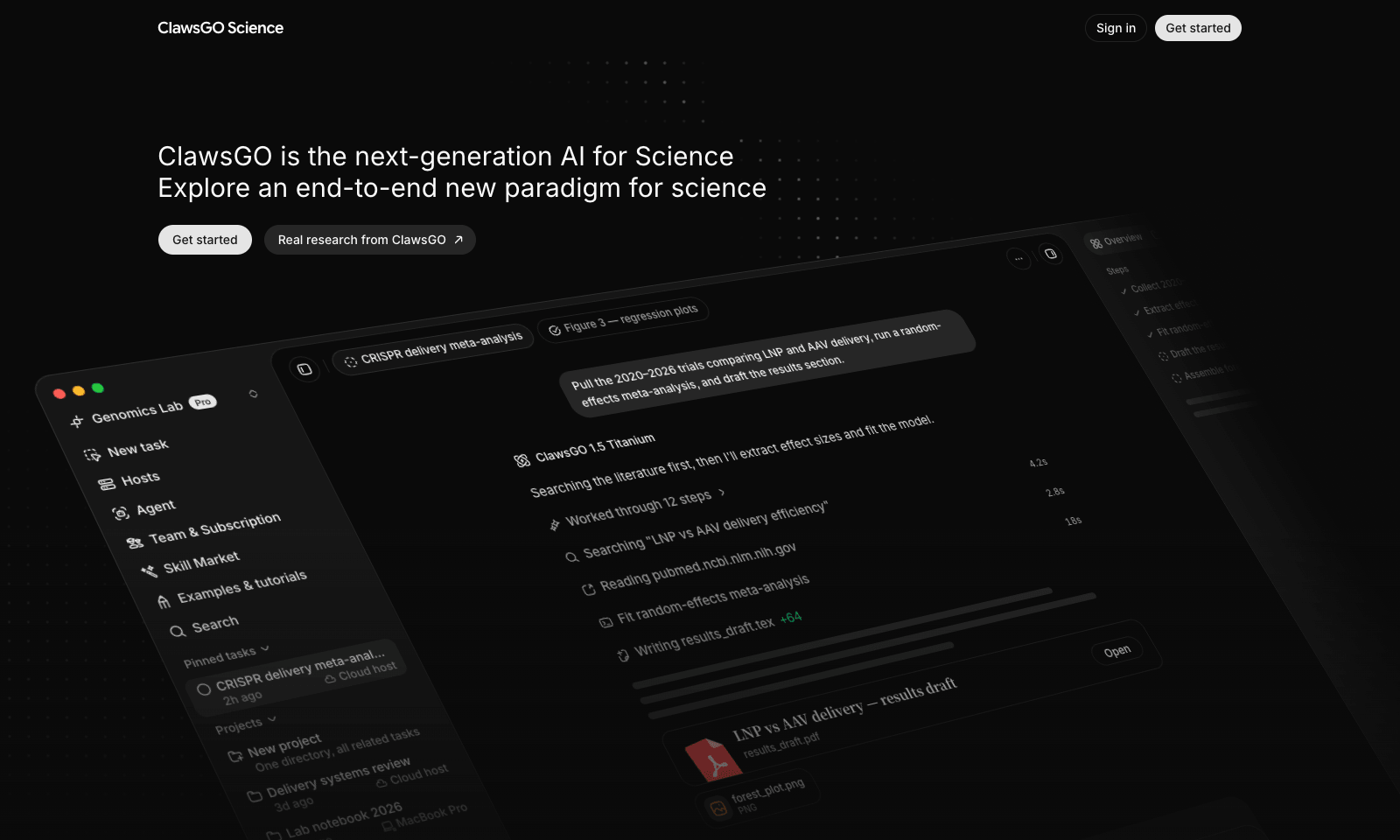
ClawsGO Science is a research agent with its own cloud computer. Give it a task in plain English, such as "pull the 2020–2026 trials comparing two treatments, run a meta-analysis, and draft the results section," and it searches the literature, screens papers, extracts the data into CSV tables, runs the statistics in Python, draws the forest plot, and writes the draft with citations. LaTeX manuscripts compile straight to PDF.

Every search, command, and file edit is logged and replayable, so you can check the work instead of trusting it. You can point it at your own files with @, switch the underlying model per task, or connect a lab GPU over SSH for heavy jobs. It's aimed at researchers, but also at consultants, policy analysts, and due-diligence teams. The cloud machine isn't billed separately; you pay for model use in credits, and plan prices sit inside the app.

Education & LearningProductivity
Paid

Keywords

research agent, literature review, meta-analysis, data analysis, latex
  • End-to-end tasks: Search, screening, extraction, analysis, and a written draft.
  • Real outputs: CSV evidence tables, Python scripts, figures, and LaTeX PDFs.
  • A replayable log: Every search, command, and edit recorded.
  • Bring your own compute: Connect a lab GPU over SSH.
  • Model choice: Switch the underlying model per task.

TMRW VERDICT

Deep research that shows its working

by TMRW Team·Nov 2, 2026

The deep research modes in ChatGPT and Gemini hand you a tidy report and no way to see how it got there. ClawsGO goes further: it runs the analysis, keeps the data tables and the code, and logs every step. For a literature review or a market scan where someone will ask "where did that number come from," that log is the product.

This is a specialist tool. Researchers, analysts, and consultants who write evidence reviews will get the most from it, and it finished second on Product Hunt on November 1. Everyone else should stick with the deep research mode they already pay for.

The site itself warns that it can make mistakes, and a meta-analysis is exactly where one bad screening call skews the result. Treat the first draft as a junior analyst's work and check the included studies. Credit-only pricing with no plan prices up front also makes a 38-page review hard to budget.
More Tools Like This

DeepCell

DeepCell

ProductivityBusiness Tools

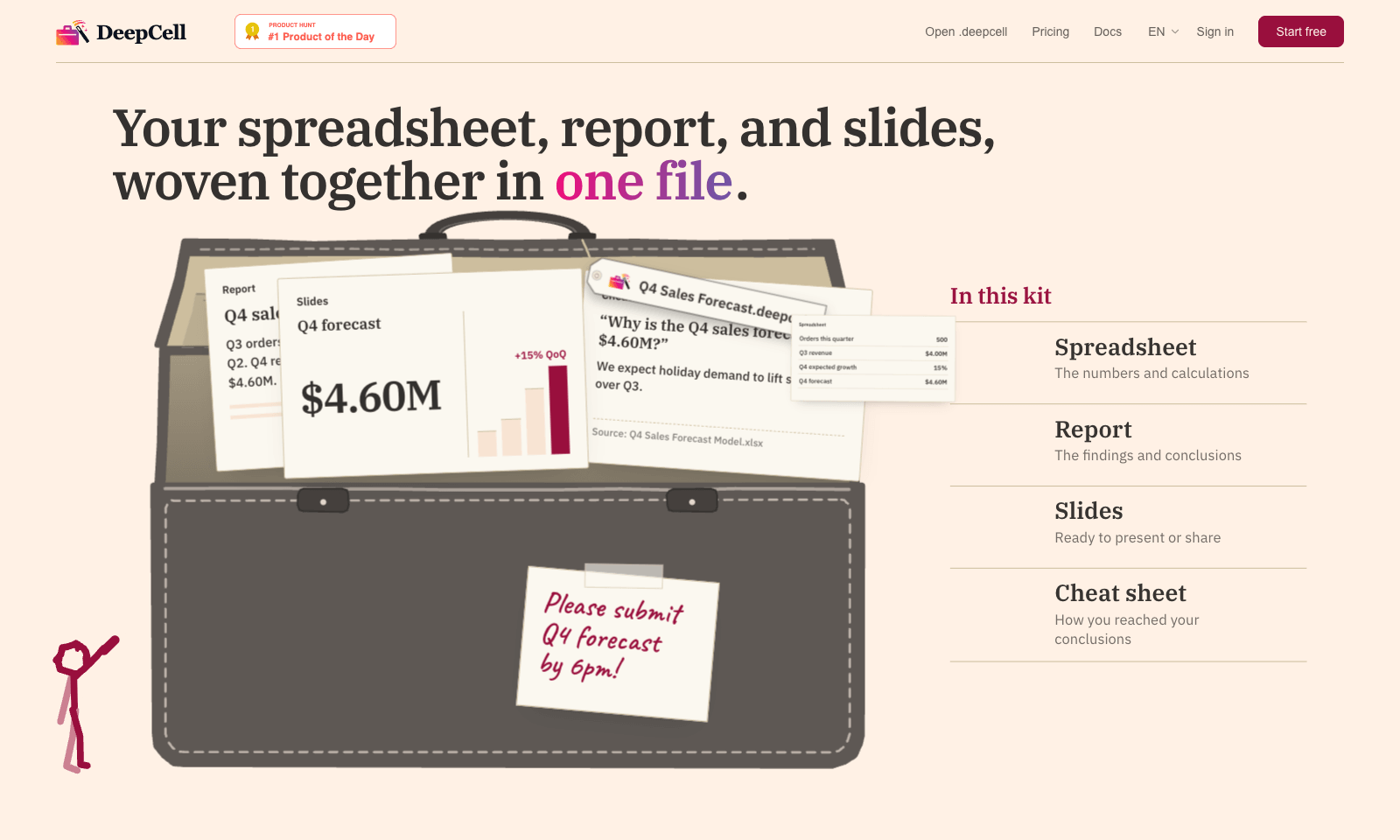
DeepCell keeps your spreadsheet, your write-up, and your slides in one file, so the numbers can't drift apart. Start from last quarter's work and the latest data, and you get back a single .deepcell with a spreadsheet, a report, a deck, and a cheat sheet explaining how you got there. Change one assumption and it flows through everything. In the demo, nudging Q4 growth from 15% to 20% moves the forecast from $4.60M to $4.80M in the sheet, the report, and the slide at once. The cheat sheet is the clever part. When someone asks why the slide says 500 orders and the morning report said 480, it points to the 20-unit order that landed at 11:40 and names the file it came from. You build kits through the AI agent you already use, with DeepCell's CLI and MCP connector doing the work. It's free for individuals with no account needed to start. Sign up if you want to keep files past 30 days. Teams is still on a waitlist.

View Details
Dots by OpenAI

Dots by OpenAI

AutomationProductivityAI Agents

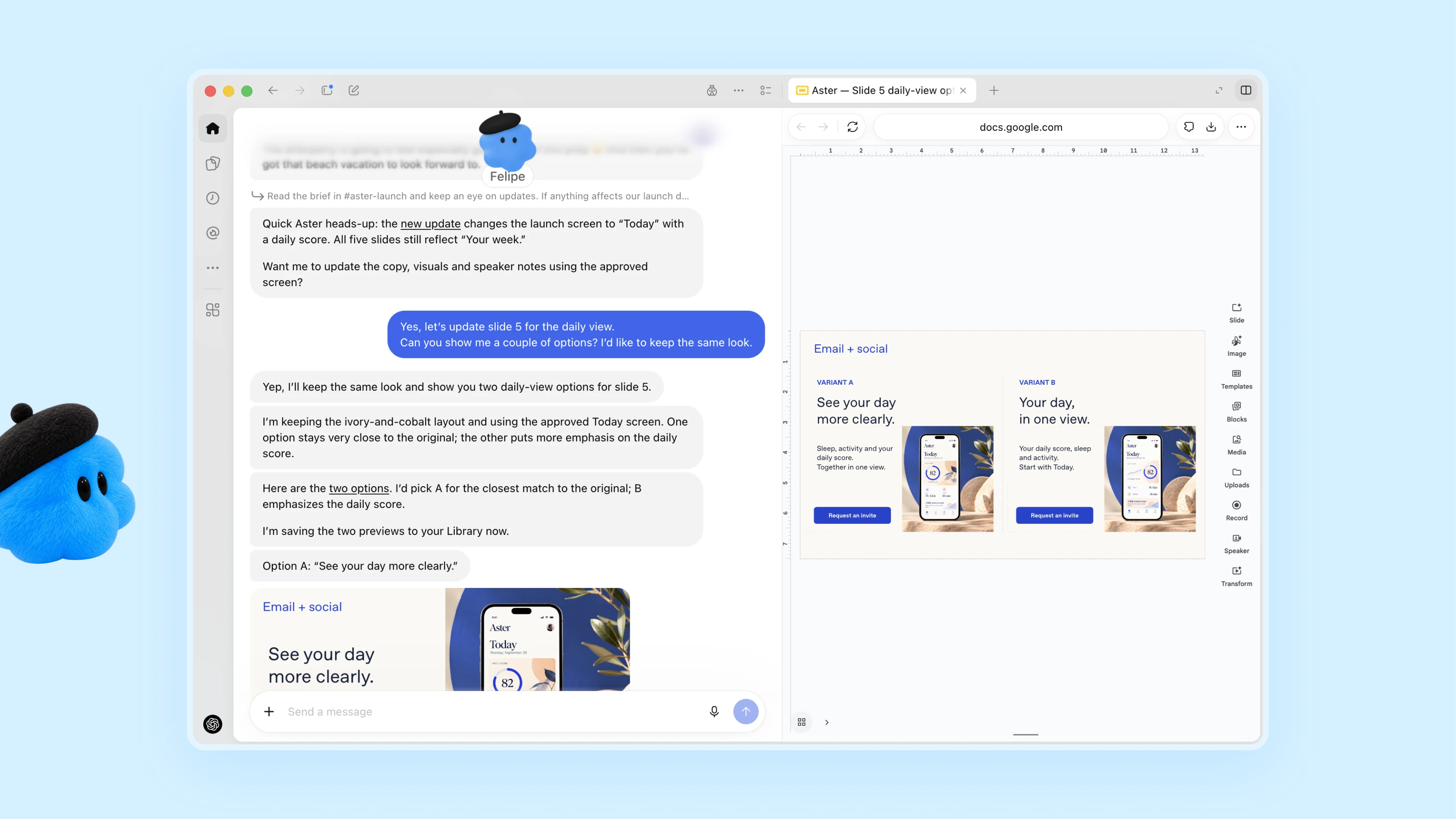
Dots are always-on agents inside ChatGPT, powered by GPT-6 Astra. Each dot has its own cloud computer and browser and works toward your goals around the clock. It's aimed at professionals and teams who want an agent that takes a project and keeps going with it between conversations. You message or call your dot in ChatGPT on desktop, web or mobile, or message it in Slack and Teams. It learns from your feedback, flags what needs attention and comes back with finished work for you to review. In one early test, a dot noticed a forgotten invoice, prepared it and sent it once the user approved. Custom Rules and an Activity View decide how much it does without asking.

View Details
Hark

Hark

AI AgentsProductivity

Hark is a personal AI assistant that handles everyday errands for you: booking travel, ordering food, paying bills, scheduling appointments and doing research. It's for busy people who want to hand those chores to an assistant and only step in to approve. You connect your email, calendar and online accounts, and the home screen fills with action cards, such as a bill to pay, an appointment to book or an expense to approve, each of which you can approve with one tap. For jobs that need the web, a cloud agent called Handoff opens a browser, does the work and shows you each step as it goes. Payments still need your confirmation, and saved logins and payment details are end-to-end encrypted.

View Details
Hob

Hob

Productivity

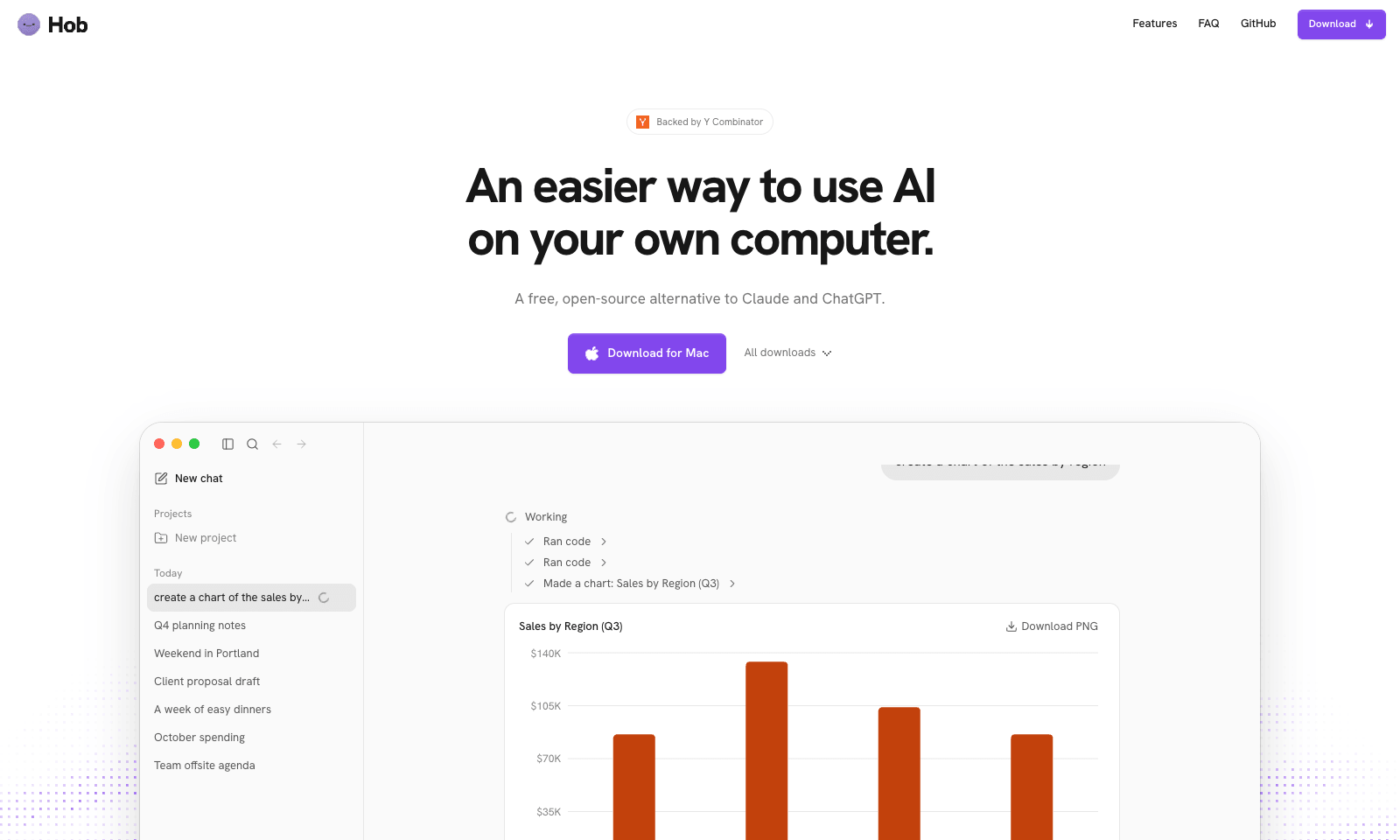
Hob is a free desktop assistant that runs entirely on your own computer. Install it and it picks an open model that fits your machine, such as Google's Gemma or OpenAI's gpt-oss, then downloads and sets it up. After that you use it like ChatGPT, with one difference: your chats and files never leave the laptop. No account, no subscription, no telemetry, and it keeps working offline. It does real file work. Point it at a folder and it can read a sales spreadsheet and chart revenue by region, fill out a PDF form, or edit a document. It asks before every change and lets you undo one it got wrong. On Mac, Mail and Calendar are built in. It needs 8 GB of RAM at minimum, 16 GB for everyday work, and 10 to 25 GB of disk. It runs on Apple silicon Macs, Windows, and Linux, and it's MIT-licensed by Frigade.

View Details
TMRW TOOLS

AI tools we'd actually recommend.

A short list of AI tools for everyday work. We try each one before we write about it.

Navigate

  • Home
  • AI Guide
  • Blog
  • About
  • Contact

Tools

  • Browse Tools
  • Meeting notes
  • Voice writing
  • Spreadsheets
  • Short video
  • Submit Tool
  • Categories
  • Partner Program

Follow us

Legal

Privacy PolicyTerms of ServiceImprint
TMRW TOOLS

AI tools we'd actually recommend.

A short list of AI tools for everyday work. We try each one before we write about it.

Follow us

Navigate

  • Home
  • AI Guide
  • Blog
  • About
  • Contact

Tools

  • Browse Tools
  • Meeting notes
  • Voice writing
  • Spreadsheets
  • Short video
  • Submit Tool
  • Categories
  • Partner Program

Legal

  • Privacy Policy
  • Terms of Service
  • Imprint
TMRW TOOLS

AI tools we'd actually recommend.

A short list of AI tools for everyday work. We try each one before we write about it.

Navigate

  • Home
  • AI Guide
  • Blog
  • About
  • Contact

Tools

  • Browse Tools
  • Meeting notes
  • Voice writing
  • Spreadsheets
  • Short video
  • Submit Tool
  • Categories
  • Partner Program

Follow us

Legal

  • Privacy Policy
  • Terms of Service
  • Imprint
© 2026 TMRW TOOLS. All rights reserved.