TMRWTOOLS
AboutBlog
Submit Tool
TMRW TOOLS
GuideBlogSubmit Tool
  • 01Home
  • 02Guide
  • 03Blog
  • Submit Tool
HOME/Text Tools/AudioPen
BACK TO TOOLS
HOME/Text Tools/AudioPen

AudioPenReview: spoken notes into clean text

AudioPen screenshot

AudioPenReview: spoken notes into clean text

Text ToolsProductivity
Freemium

AudioPen turns rambling into tidy text. Talk for a few minutes about an idea, a meeting or the draft you keep putting off. It transcribes you, strips out the ums, and rewrites the result in the style you pick: casual, professional, academic, or a custom voice you set up. You can dial the rewrite from a light clean-up to a full restructure. Your phone can already transcribe. The rewrite is why you'd pay. Say "so basically I was thinking we could maybe, um, do the thing where we split the project into like three phases" and you get back a clean paragraph about a three-phase plan. It runs on iOS, Android, Chrome, Mac and Windows. There's a free tier, and AudioPen Prime costs $8.25 a month on the annual plan.

Text ToolsProductivity
Freemium

Keywords

voice-to-text, writing, dictation, productivity, note-taking
Voice-to-structured-text with AI rewriting Adjustable rewrite intensity (light to full restructuring) Multiple output styles — casual, professional, academic, custom Filler word removal and content structuring Multi-language support for input and output
Uses OpenAI Whisper API for transcription plus proprietary rewrite engine. 15 minutes per recording. Free tier available. Prime: $8.25/mo annual ($99/year), or $11/mo quarterly. Works on iOS, Android, Chrome, macOS, Windows.

TMRW VERDICT

A writing tool for people who think out loud

by TMRW Team·Oct 4, 2026

AudioPen is for the person who's been staring at a blank document for twenty minutes but could explain the whole thing in a phone call. You talk and it writes. The transcription is nothing special, since any phone can do that. The rewrite is the reason to use it, and the result reads like something you sat down and drafted rather than something you dictated.

The style settings matter more than they sound. Professional gives you something you could paste into an email. Academic gives you enough structure for a report. A custom style based on your own writing gets closer still. Rewrite strength is the setting to learn. Keep it low for meeting notes you want nearly word for word, and turn it up when you want rambling turned into a first draft.

Recordings are capped at 15 minutes, so it's not for long transcription. It also doesn't join meetings. It records from your microphone, and if you want meeting notes, Granola is the better pick. Use AudioPen for email drafts, journal entries, brainstorms and the first draft of anything you've been avoiding because writing feels harder than talking.

More Tools Like This

ToneBird

ToneBird

Text ToolsProductivity

ToneBird drafts replies inside whatever app you're typing in: Gmail, Slack, WhatsApp, iMessage, Discord, WeChat, Lark or X, on Mac or Windows. Click the green orb or press Option twice. It suggests three replies, you tweak one, and it pastes it in. It never hits send for you. What makes it different is memory. It keeps a card on each person, remembers what you promised them, and pulls facts from your files, so the $2,400 you agreed on comes from the actual proposal. The tone changes with the person. A client chasing a deadline gets different wording than a teammate checking in. It keeps a list of what you owe people and can set up calendar events from a chat. Your tone settings and person cards stay on your device, but message content goes to the AI provider. Free is 15 drafts a day for 30 contacts. Standard is $9.90 a month and Pro is $39.90.

View Details
Hob

Hob

Productivity

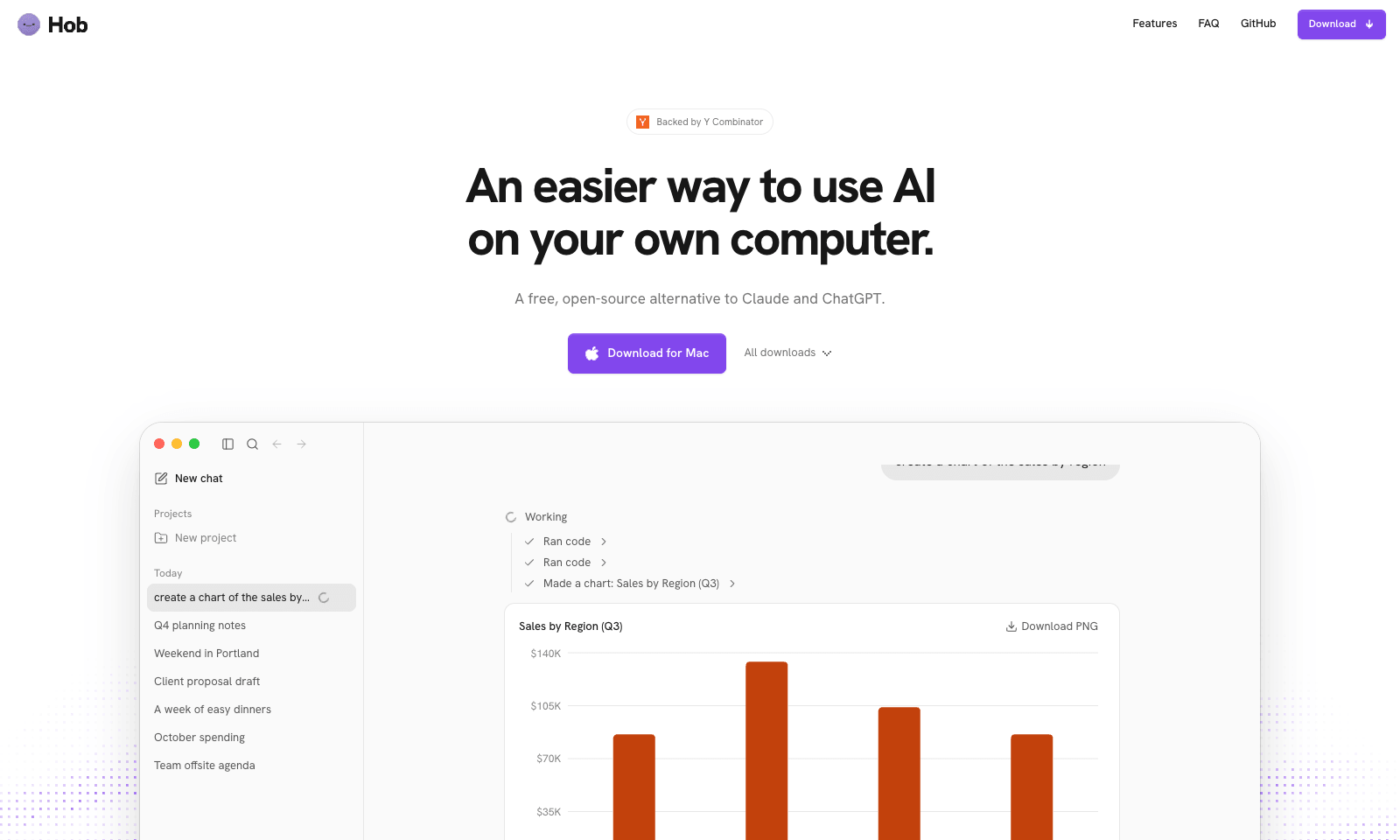
Hob is a free desktop assistant that runs entirely on your own computer. Install it and it picks an open model that fits your machine, such as Google's Gemma or OpenAI's gpt-oss, then downloads and sets it up. After that you use it like ChatGPT, with one difference: your chats and files never leave the laptop. No account, no subscription, no telemetry, and it keeps working offline. It does real file work. Point it at a folder and it can read a sales spreadsheet and chart revenue by region, fill out a PDF form, or edit a document. It asks before every change and lets you undo one it got wrong. On Mac, Mail and Calendar are built in. It needs 8 GB of RAM at minimum, 16 GB for everyday work, and 10 to 25 GB of disk. It runs on Apple silicon Macs, Windows, and Linux, and it's MIT-licensed by Frigade.

View Details
Savor

Savor

ProductivitySelf-Improvement

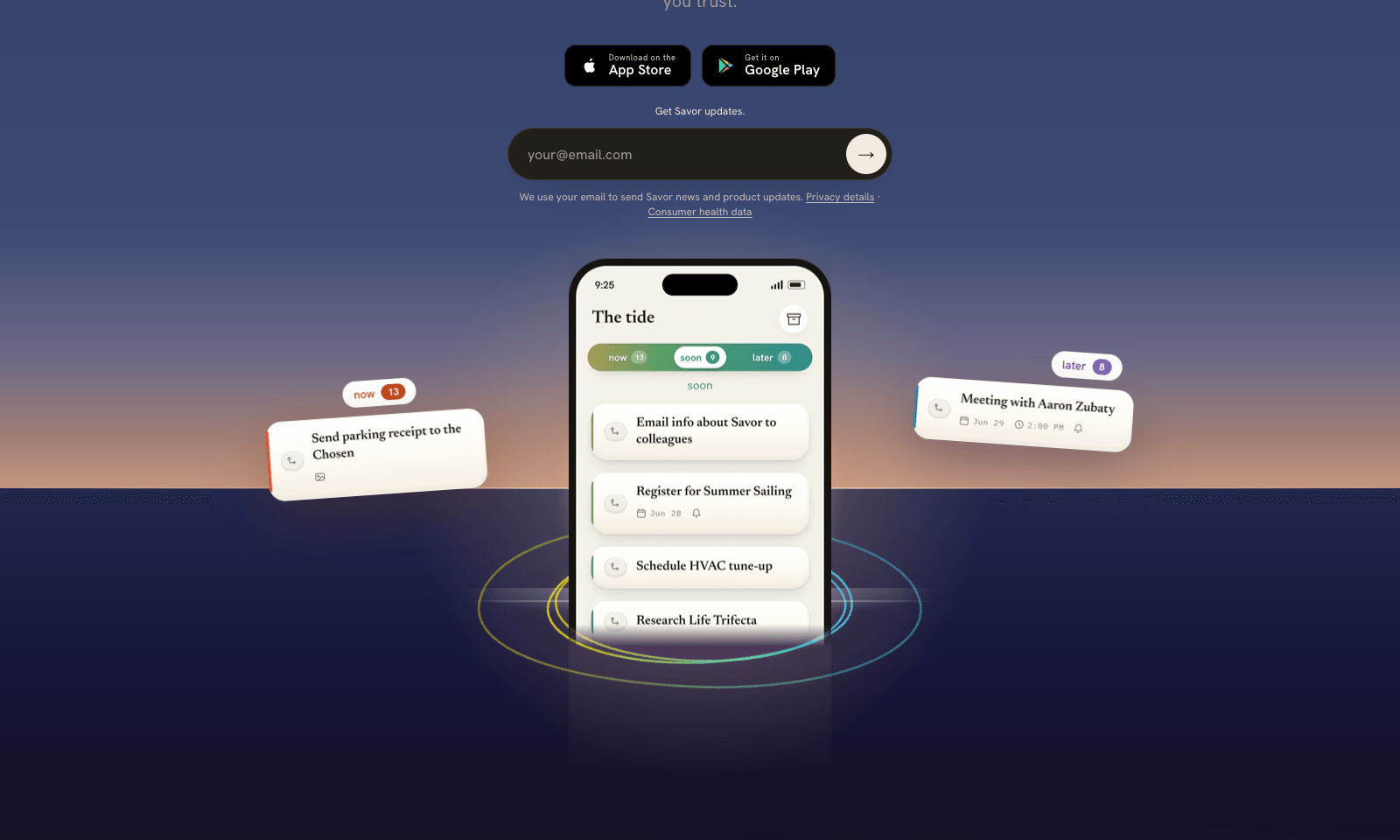
Savor is a free phone app for the things too small or too vague for a to-do list: call the dentist, book that trip, deal with the parking fine. Say it, type it, or snap a photo of the letter or flyer, and Savor turns it into a card. Cards sit in three lanes, Now, Soon, and Later, and come back with a reminder when their date gets close. The AI part is Take Action, still in beta. Open a card and it helps you work out the next step: compare options, build a list, look up public information, or draft the message you've been putting off. You can also hand a card to someone else who uses Savor; once they accept, it's theirs, reminders included. Photos of bills and letters are read automatically, and Siri can add cards hands-free. It's free on iPhone and Android while the company has paid plans on hold.

View Details
Scape

Scape

Productivity

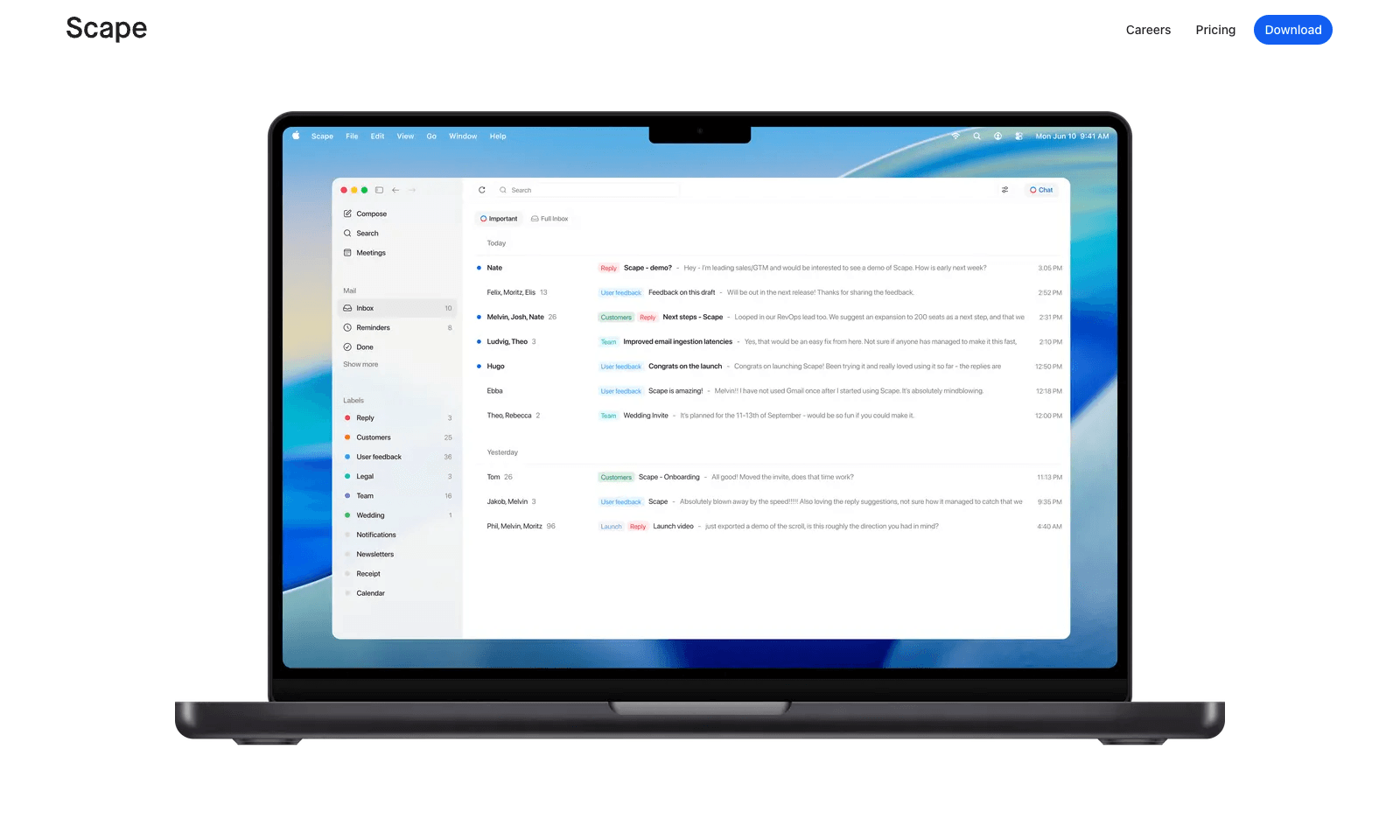
Scape is a desktop email app that reads ahead. Before you open a thread, it has picked out the few emails that need you, drafted the replies, and pulled in what it needs from your calendar, attachments, and past meetings. You review, edit, and send. The rest of the inbox gets labels that sync back to Gmail, so nothing is lost if you open Gmail later. The meeting part is what sets it apart. Scape spots your next Zoom, Meet, Teams, or FaceTime call and records it on your Mac with one click, no bot in the call, transcribing in 99 languages. When the call ends, the follow-up email is already drafted from what was said. It's a preview release from a Stockholm team backed by Y Combinator. Free covers unlimited inboxes and recordings. Plus is $20 a month for automations and higher AI limits; Max is $100.

View Details
TMRW TOOLS

AI tools we'd actually recommend.

A short list of AI tools for everyday work. We try each one before we write about it.

Navigate

  • Home
  • AI Guide
  • Blog
  • About
  • Contact

Tools

  • Browse Tools
  • Meeting notes
  • Voice writing
  • Spreadsheets
  • Short video
  • Submit Tool
  • Categories
  • Partner Program

Follow us

Legal

Privacy PolicyTerms of ServiceImprint
TMRW TOOLS

AI tools we'd actually recommend.

A short list of AI tools for everyday work. We try each one before we write about it.

Follow us

Navigate

  • Home
  • AI Guide
  • Blog
  • About
  • Contact

Tools

  • Browse Tools
  • Meeting notes
  • Voice writing
  • Spreadsheets
  • Short video
  • Submit Tool
  • Categories
  • Partner Program

Legal

  • Privacy Policy
  • Terms of Service
  • Imprint
TMRW TOOLS

AI tools we'd actually recommend.

A short list of AI tools for everyday work. We try each one before we write about it.

Navigate

  • Home
  • AI Guide
  • Blog
  • About
  • Contact

Tools

  • Browse Tools
  • Meeting notes
  • Voice writing
  • Spreadsheets
  • Short video
  • Submit Tool
  • Categories
  • Partner Program

Follow us

Legal

  • Privacy Policy
  • Terms of Service
  • Imprint
© 2026 TMRW TOOLS. All rights reserved.