
TMRWTOOLS
AboutBlog
Submit Tool
TMRW TOOLS
GuideBlogSubmit Tool
  • 01Home
  • 02Guide
  • 03Blog
  • Submit Tool
HOME/Automation/IrisGo
BACK TO TOOLS
HOME/Automation/IrisGo

IrisGoReview: a morning routine you only demonstrate once
IrisGo screenshot

IrisGoReview: a morning routine you only demonstrate once

AutomationProductivity
Free

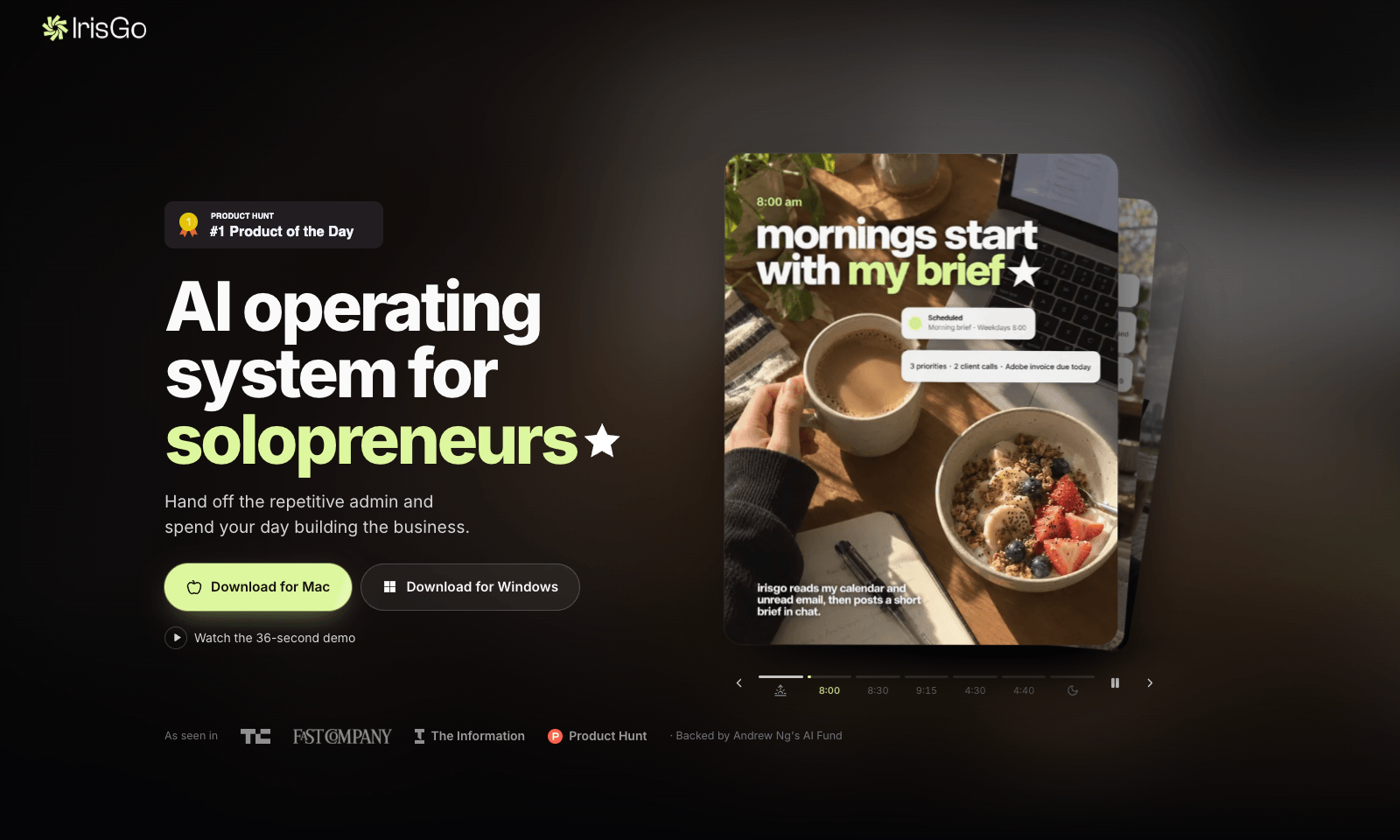
IrisGo is a desktop assistant for people who run a business on their own. At 8 every morning it reads your calendar and unread email and sends you a short brief in chat. In the demo, that's three priorities, two client calls, and an Adobe invoice due today. From there it triages your inbox and picks up the rest of the day's admin. The headline trick is Watch & Learn: you do a task once while IrisGo watches, and after that it can repeat the steps for you.

It runs on Windows 11 (64-bit) and Apple Silicon Macs. There's no version for Intel Macs or phones. The beta is free and updates itself, and IrisGo only sees the data and workflows you give it permission to see. The company is backed by Andrew Ng's AI Fund, but it hasn't said what IrisGo will cost once the beta ends. Don't confuse it with Iris, the agent you text from iMessage.

AutomationProductivity
Free

Keywords

desktop, morning brief, email, solopreneur, mac
  • An 8am brief: Your calendar and unread mail, turned into a short list of priorities in chat.
  • Email triage: Sorts the inbox so you start with what matters.
  • Watch & Learn: Show it a workflow once, and it repeats it.
  • Windows and Mac: Windows 11 64-bit and Apple Silicon. No Intel Macs, no phone app.
  • Free in beta: Access is by permission. No price announced for later.

TMRW VERDICT

Worth a try if every morning looks the same

by TMRW Team·Oct 25, 2026

If you freelance or run a one-person business, you probably start every day the same way: calendar, inbox, a mental list of who owes you what. IrisGo wants to do that part for you and hand you the summary at 8. That's a more grounded pitch than most "AI operating system" talk, and the brief in its demo, two calls and an invoice due, is exactly what you need to know before your first coffee.

Watch & Learn is the bigger bet. Teaching an assistant by doing a task once is far easier than building an automation from scratch, if it holds up. Hark is the better fit if you want an agent that goes off and runs errands on the web. screenpipe makes more sense if all you want is a searchable memory of your screen.

Go in with your eyes open. The app needs broad access to your computer to be useful, so read the permissions before you install, and don't teach it anything you wouldn't want repeated unsupervised. It's free now, but nobody has said what it'll cost later. Start with the morning brief. You already know what it should say, so within a week you'll know whether it's earning its spot on your desktop.
More Tools Like This

Dots by OpenAI

Dots by OpenAI

AutomationProductivityAI Agents

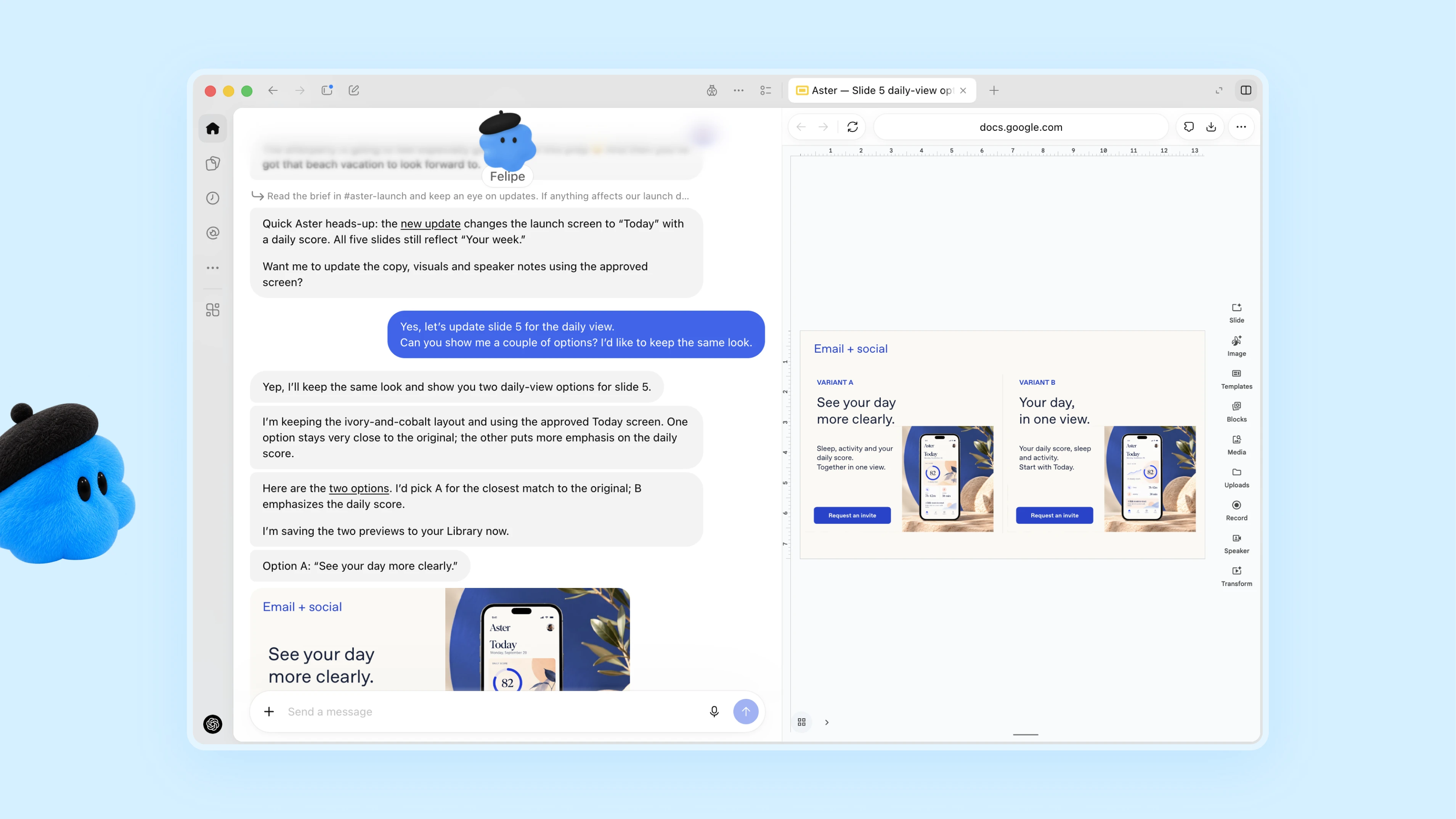
Dots are always-on agents inside ChatGPT, powered by GPT-6 Astra. Each dot has its own cloud computer and browser and works toward your goals around the clock. It's aimed at professionals and teams who want an agent that takes a project and keeps going with it between conversations. You message or call your dot in ChatGPT on desktop, web or mobile, or message it in Slack and Teams. It learns from your feedback, flags what needs attention and comes back with finished work for you to review. In one early test, a dot noticed a forgotten invoice, prepared it and sent it once the user approved. Custom Rules and an Activity View decide how much it does without asking.

View Details
Moda

Moda

MarketingProductivity

Moda is a browser-based design canvas that turns a prompt into slides, social posts, ads, documents or carousels you can still edit. Pick the format first, type what you want, and attach files if you have them. Every shape, headline and image in the result can be selected and changed, which you can't do with a flat picture from an image generator. Give it your website and it pulls your brand colors, fonts and logo into the first draft. You generate, then restyle on a proper canvas. The free plan gives you 500 credits a month. Pro is $30 per user per month for 6,000 credits, and unused credits don't carry over. The weak spot is export. You won't get a native PowerPoint or Google Slides file, so if that's what your team works in, look at AskDeck instead.

View Details
WZRD

WZRD

ProductivityBusiness Tools

WZRD turns a document into something your reader can talk to. Upload a PDF, a deck, a spreadsheet or a form, or describe one, and it builds an interactive version with a voice agent inside. A proposal can walk a client through its pricing and answer "what will this actually cost me?" A form can collect answers by voice or typing, and a spreadsheet can explain its own numbers out loud. You share it as a wzrd.to link, a QR code or a private invite. You can also have it make slides, forms, sheets or documents from scratch, and add signatures or file uploads. The free plan covers five projects and 30 voice sessions in total, with WZRD branding. Starter is $15 a month for 60 sessions plus analytics, Maker is $29 and Builder is $79. A voice session counts in full as soon as it starts. If your reader is going to print the file, it's pointless.

View Details
Reception.ai

Reception.ai

AutomationBusiness Tools

Reception.ai answers your business phone, deals with the question and books the appointment while the caller is still on the line. Paste your website URL, get a phone number, and set your opening hours and calendars. You can talk to a demo voice agent right on the homepage. It speaks more than 70 languages and puts bookings into Google Calendar or its own calendar. The 14-day trial doesn't need a card. After that, Basic is $29 a month for 75 minutes of calls, Plus is $79 for 275 minutes and Premium is $199 for 1,000. Extra minutes cost between $0.30 and $0.45 depending on your plan. It can't greet people who walk in. If you already pick up every call, you don't need it, and if you only need messages taken, a cheaper answering service will do.

View Details
TMRW TOOLS

AI tools we'd actually recommend.

A short list of AI tools for everyday work. We try each one before we write about it.

Navigate

  • Home
  • AI Guide
  • Blog
  • About
  • Contact

Tools

  • Browse Tools
  • Meeting notes
  • Voice writing
  • Spreadsheets
  • Short video
  • Submit Tool
  • Categories
  • Partner Program

Follow us

Legal

Privacy PolicyTerms of ServiceImprint
TMRW TOOLS

AI tools we'd actually recommend.

A short list of AI tools for everyday work. We try each one before we write about it.

Follow us

Navigate

  • Home
  • AI Guide
  • Blog
  • About
  • Contact

Tools

  • Browse Tools
  • Meeting notes
  • Voice writing
  • Spreadsheets
  • Short video
  • Submit Tool
  • Categories
  • Partner Program

Legal

  • Privacy Policy
  • Terms of Service
  • Imprint
TMRW TOOLS

AI tools we'd actually recommend.

A short list of AI tools for everyday work. We try each one before we write about it.

Navigate

  • Home
  • AI Guide
  • Blog
  • About
  • Contact

Tools

  • Browse Tools
  • Meeting notes
  • Voice writing
  • Spreadsheets
  • Short video
  • Submit Tool
  • Categories
  • Partner Program

Follow us

Legal

  • Privacy Policy
  • Terms of Service
  • Imprint
© 2026 TMRW TOOLS. All rights reserved.